

MetaTrader 4 writes prices with a dot as the decimal separator, as in 1.08457. Trouble starts when something around MT4 expects a comma instead: a spreadsheet set to a European region, a CSV file exported from another tool, or a script that parses text. This guide shows where the mismatch appears, how to diagnose it in a few minutes, and how to prepare minute-bar files so a backtest reads every price correctly.
TL;DR
- MT4 output follows the dot convention (1234.456). Excel or Windows set to a comma region reads that text differently.
- The separator is a regional and file-format issue, not an MT4 trading setting. Fix it in the file, in the regional settings, or in the export code.
- If your CSV uses a comma as the decimal mark, use a different field delimiter (a semicolon or tab) so values do not split in the wrong place.
- After any import, confirm the symbol's Digits value matches the precision of the data, then scroll the chart back to the first bar.
- Data that is already clean and formatted for MT4 removes most of this work.
Table of Contents
- What the decimal separator means in MT4
- Does MT4 use a dot or a comma?
- Where the mismatch actually bites
- Which countries use a comma?
- Quick comparison of formats
- How to prepare a file before importing into MT4
- Check Digits and precision after the import
- A worked example
- Our view: why the format should be solved before you ever open the file
- Get minute-bar data that imports without conversion
- Common mistakes to avoid
- FAQ
- Sources
What the decimal separator means in MT4
The decimal separator is the character that splits a number into its whole part and its fractional part. The two characters in common use are the comma and the dot, and which one applies depends on locale and context. Nothing about that is specific to trading, but trading data makes it matter because prices carry four, five, or more decimals and every digit counts.
Inside MT4, a quote such as EURUSD at 1.08457 is stored as a number, not as text. The separator only exists when a number is turned into text or text is turned back into a number. That happens in four places:
- Chart and Market Watch display.
- CSV files you export or import.
- Scripts and expert advisors that print, log, or parse values.
- Spreadsheets and other programs that open MT4 exports.
Most reported problems sit in points 2 to 4, not in the platform's own display.
Does MT4 use a dot or a comma?
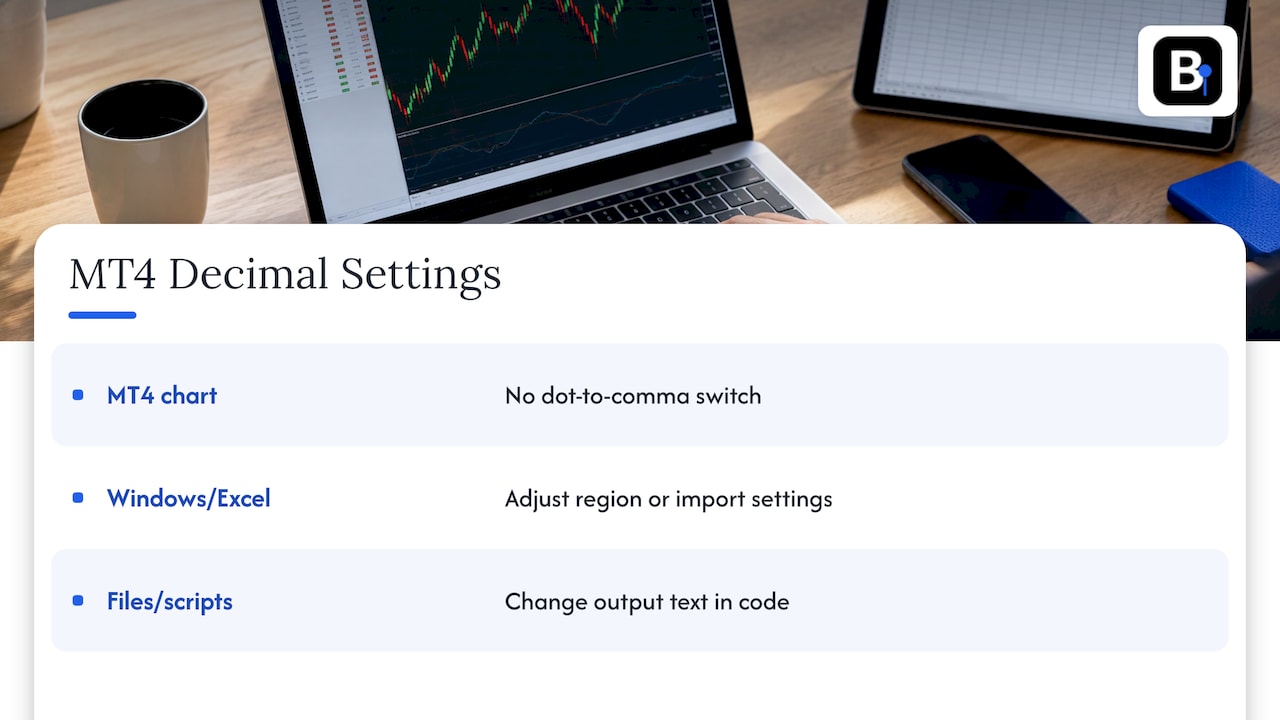
MT4 produces numeric text in the dot style. An MQL4 forum discussion about exporting account history describes the usual symptom: MetaTrader outputs values like 1234.456, while Excel under European regional settings may expect 1.234,456. The two suggested remedies are to set the regional settings to match MetaTrader, or to change the code so the output matches what Excel expects.
So the answer to "can the setting be changed?" has two parts. There is no switch in MT4 that turns a dot into a comma for prices on the chart. What you can change is the environment that reads the data (Windows region, Excel import options) and the text your own files and scripts produce.
Where the mismatch actually bites
Opening an MT4 export in a spreadsheet
You export history or quotes to CSV, double-click the file, and Excel shows 1.08457 as a date, as text, or as a huge integer. The cause is that Excel parses text using the operating system's regional settings. A Windows machine set to a region that uses commas for decimals does not recognize the dot as a decimal mark.
The fix that does not touch the file is to use the spreadsheet's data import feature and tell it explicitly that the decimal separator is a dot, rather than double-clicking the file. Alternatively, change the decimal symbol in Windows regional settings (Control Panel, Region, Additional settings), at the cost of affecting every program on the machine.
Importing a CSV with comma decimals
The reverse also happens. A data file prepared in a comma region contains values like 1,08457. If the field delimiter is also a comma, the importer sees one extra column per price and the file falls apart. The practical rule is simple: when decimals are written with a comma, the delimiter must be something else, usually a semicolon. A custom-symbol import guide makes the same point, adding that the decimal separator in the file should match the system locale.
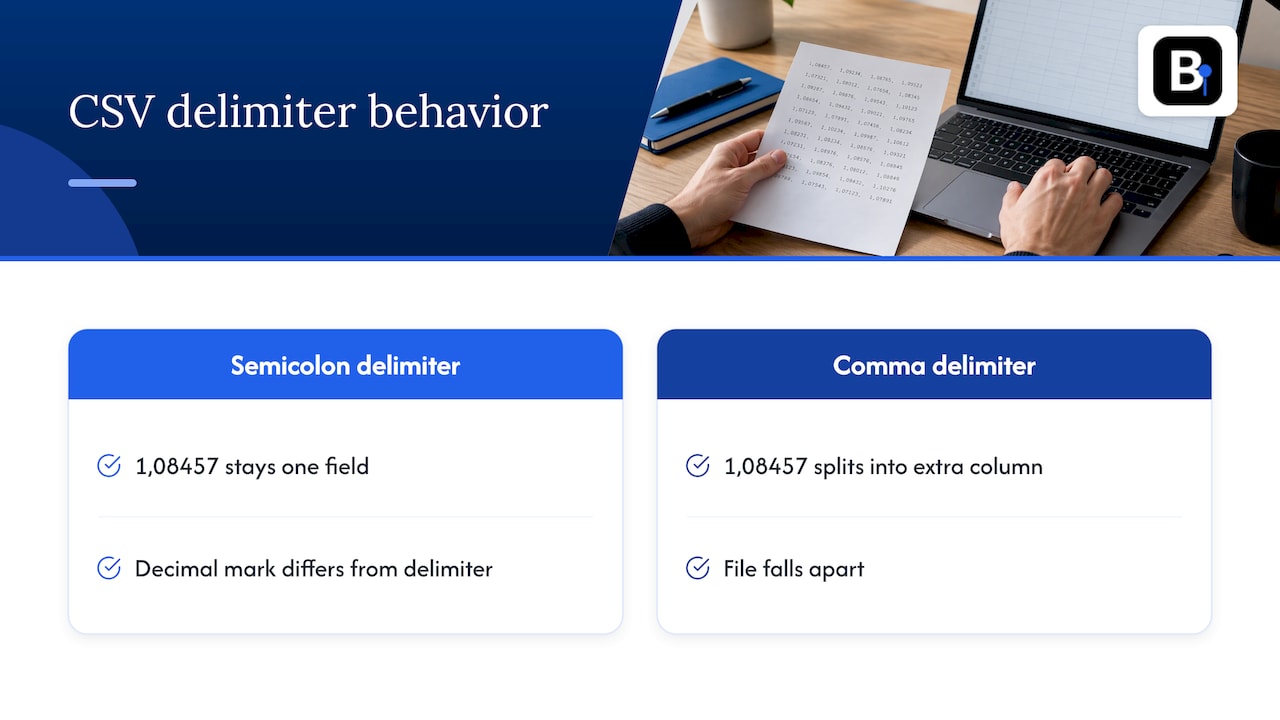
Open-source tools solve it in code. The CSV2FXT script on GitHub checks whether numbers use a comma as the decimal mark and adjusts its parsing, including the case where the delimiter is not a comma and values look like 1,2345.
Scripts and expert advisors that write files
If your EA logs trades to CSV for a European colleague, you may want commas in the output. The MQL4 forum thread mentioned above shows a small helper that converts a double to a string and then uses StringReplace to swap the dot for a comma. A parameter for the separator lets one function serve every locale.
When printing values for your own review, remember that MQL4 can show a double with up to 16 digits after the decimal point. Long strings of digits in a log are floating-point representation, not extra price precision, so format the output to the symbol's Digits.
Which countries use a comma?
Convention varies by country. Wikipedia's overview lists Germany, France, Spain, Italy, Poland, Russia, and Brazil among comma users, and the United States, United Kingdom, Australia, Japan, China, and India among dot users. Thousands separators flip in the same way, so 1,234.56 in the US is 1.234,56 in much of continental Europe.
This matters for trading data because files travel. A dataset built by a developer in Berlin, a broker feed hosted in London, and a trader sitting in Madrid can all handle the same number differently. Programs that rely on the machine's regional settings, such as Visual Basic's CDbl, follow the operating system: a period in the United States, usually a comma in most of Europe. On Windows, the locale defines both the decimal symbol and the digit-grouping symbol, which is why the same file can parse on one PC and fail on another.
Quick comparison of formats
| Situation | Typical text | Delimiter to use | Risk |
|---|---|---|---|
| MT4 style, dot decimals | 1.08457 | Comma | None in dot-region systems |
| Comma-region spreadsheet export | 1,08457 | Semicolon or tab | Importer splits the price into two columns |
| Dot file opened in comma-region Excel | 1.08457 | Any | Value read as text or a date |
| Thousands and decimals mixed | 1.234,56 vs 1,234.56 | Not for price bars | Wrong magnitude if read with the wrong locale |
For price bars the cleanest choice is a dot decimal, no thousands separators at all, and a consistent number of decimals per symbol.
How to prepare a file before importing into MT4
Follow this order and you will catch nearly every separator error before it reaches a backtest.
- Open the raw file in a plain text editor. A spreadsheet can silently reformat values on open. A text editor shows what is actually in the file.
- Identify the decimal mark and the delimiter. Look at one price and one line. Is it
1.08457,1.08460or1,08457;1,08460? - Make them compatible. Dot decimals with comma delimiters work. Comma decimals need a semicolon or tab delimiter. If your tools disagree, convert once with a find and replace on a copy, never on the original.
- Remove thousands separators. Prices in forex rarely need them, but index and metals data can reach four or five digits before the decimal.
- Check the date and time format. Separator problems often travel with date format problems. The import guide from the Trading BotMaker article specifies YYYY.MM.DD dates and 24-hour HH:MM:SS times for custom symbols.
- Import using the platform's own tool. Our walkthrough on importing CSV data into MT4 and the page on how to import historical data in MetaTrader 4 and 5 cover the History Center steps.
- Verify. See the next section.
Check Digits and precision after the import
A correct separator is only half the job. The other half is making sure MT4 keeps all the decimals you gave it.
If data has five decimals (1.23456) but the symbol is set to fewer digits, prices can be truncated and the backtest calculates with the wrong values, according to the custom-symbol guide. The same guide suggests confirming that bars render properly and scrolling back to the earliest date to look for gaps.
Two details about MT4's internals explain why this happens:
- For offline charts, decimal places are inherited from the broker's symbol list when the symbol name matches. If the name does not exist in that list, MT4 assigns four decimals regardless of what the history file header says. A 5-digit instrument with a made-up symbol name can therefore lose its fifth decimal.
- MT4's binary history format stores the precision in the file header, in a digits field at byte offset 84, followed by 44-byte records holding time, open, low, high, close, and volume, as documented in the HSTViewer project. The binary file has no separator at all; the dot or comma problem only exists in the CSV stage before conversion.
A short post-import checklist:
- Compare three or four prices on the chart with the source file.
- Hover over the last decimal digit of a bar to confirm it is present.
- Scroll to the very first bar and look for gaps or flat sections.
- If bars stop earlier than expected, check the platform's bar limit; we explain it in our piece on MT4 max bars.
- If the History Center throws an error, try the safe fixes before file repair.
A worked example
Suppose you receive a one-minute EURUSD file from a colleague in Madrid. The first lines look like this:
2024.03.01;00:00;1,08457;1,08462;1,08455;1,08460;42
The semicolon delimiter is a hint that decimals use commas. To bring this into MT4 from a dot-style environment:
- Copy the file and keep the original untouched.
- In a text editor, replace every comma with a dot. This is safe here because the delimiter is a semicolon, so commas only appear in prices.
- Then replace the semicolons with commas if your import tool expects comma-delimited fields.
- Import, set the symbol's Digits to 5, and compare the first bar to the original: open 1.08457.
The order matters. Replacing semicolons first would make every price split into two fields when the comma-to-dot step is skipped.
Our view: why the format should be solved before you ever open the file
We collect and maintain our minute-bar datasets ourselves, and the formatting problems described above are exactly why. Traders do not lose hours to strategy ideas. They lose hours to files: a comma where a dot should be, a truncated fifth decimal, a missing month that nobody noticed until the equity curve looked too good.
Our approach is that a dataset should be ready to import into MT4 or MT5 as delivered, with bar-by-bar verification and documented adjustments, so the first thing you do is test your idea instead of repairing a file. We believe that standard matters for human-driven and AI-driven backtesting alike, because an automated pipeline will not notice a quietly mis-parsed price any better than a tired eye does.
Every conversion step you run yourself is another place for error. Removing those steps is the most reliable way to protect the integrity of a result. Our engineers also answer support questions directly, so when a file does not behave, you talk to the people who built it.
Start
Get minute-bar data that imports without conversion
If you would rather not hand-edit separators, we offer complete, clean minute-bar historical data sets since 2014 across forex, metals, stock indices, bonds, and commodities, built for direct import into MT4 and MT5. Browse the full range on our historical data page, or take the Annual Plan at €119 per year.
Before you commit a strategy to a dataset, our guide to three QA checks for import-ready datasets shows what to look for, and reproducible MT4 backtesting data sources explains how to keep your results repeatable.
Common mistakes to avoid
- Editing in a spreadsheet and saving back to CSV. The program may rewrite decimals according to your region. Edit in a text editor when possible.
- Changing Windows regional settings and forgetting about it. Other programs, including accounting software, will then behave differently.
- Leaving thousands separators in index data. A value of 18,250.5 may be read as two fields.
- Mixing files from different sources in one import. Convert each file to one standard first.
- Trusting a successful import message. The import can finish without errors and still contain truncated prices. Always compare against the source.
- Ignoring the Digits setting on custom symbols. Name and precision need to be consistent from the start.
FAQ
Can I change the decimal separator inside MT4?
Not for chart prices. MT4 displays and stores prices in its own format, and the separator only matters when numbers become text. You adjust the environment instead: Windows regional settings, spreadsheet import options, or the code that writes your CSV or log files.
Why does my CSV look right in Notepad but wrong in Excel?
Excel reads text through your Windows regional settings. If your region uses a comma for decimals, a dot-based price like 1.08457 may be treated as text or a date. Use Excel's data import tool and set the decimal separator to a dot, or open the file in a text editor to check the raw values.
Which delimiter should I use if my numbers contain commas?
Use a semicolon or a tab. Commas inside prices would otherwise be treated as field breaks, splitting one price into two columns. After conversion to dot decimals, a comma delimiter works again.
Does the decimal separator affect backtest results?
It can, if a value is read wrongly. A price read as 108457 instead of 1.08457, or truncated because Digits is too low, produces wrong trades and wrong statistics. Check a few bars against the source file and confirm Digits matches the data after every import.
Sources
- Format numbers, Globalization, Microsoft Learn
- Exporting MT4 account history to Excel, MQL5 forum
- CSV2FXT.mq4 script, GitHub
- Custom symbol import for backtesting, Trading BotMaker
- Comment, Common Functions, MQL4 Reference
- Offline charts and decimal places, MQL5 forum
- HSTViewer, GitHub
- Decimal separator, Wikipedia
- Why do I get a type mismatch error in VBScript, NI Knowledge Base
Recommended
- How to Import CSV Data Into MT4 for Backtesting
- Stop Broken Candles in Two Minutes When Importing CSV into MT5
- How to Import Historical Data in MetaTrader 4 & 5
- Stop False Backtests: 3 QA Checks for MT4/MT5 Import Ready Datasets
Related resources
Explore BacktestMarket's how to import data into MetaTrader to put the ideas in this article into practice.