

An import-ready dataset is a validated 1-minute OHLCV CSV formatted to MT4/MT5 specifications, complete with timezone metadata and a checksum to confirm integrity. Before you import anything, confirm the format and timezone alignment against your broker's server clock. If you'd rather skip the formatting work entirely, a vetted provider like Backtestmarket sells datasets already built to spec.
TL;DR:
- Confirm that your dataset's timestamps are in the correct timezone, whether UTC or broker server time, to prevent shifted or misaligned data.
- Ensure the CSV file has no header row, uses comma separators with period decimals, and is a single file per symbol to avoid import errors and data mismatches.
- Verify the data quality through checks for stale bars, missing or duplicate timestamps, phantom extremes, and early close leaks to ensure reliable backtest results.
- Use vetted providers like BacktestMarket that supply preformatted, QA-tested datasets with checksum, timezone metadata, and clear documentation to reduce import failures.
- Always run a quick sample test by importing small data before purchasing full histories, to confirm proper higher timeframe rebuilding and overall data integrity.
Table of Contents
- What "Import-Ready Minute-Bar Datasets" Mean for MT4/MT5 Users
- Practical File Requirements and Packaging
- Essential QA Tests Before You Trust a Minute-Bar Dataset
- Step-by-Step: Prepare, Import, and Verify M1 Data
- Why Choose a Vetted Provider Like BacktestMarket
- Our Take: Stop Treating Data Quality as an Afterthought
- Get BacktestMarket Import-Ready Datasets
- Sources
What "Import-Ready Minute-Bar Datasets" Mean for MT4/MT5 Users
MT5's History Center expects a specific column order, and getting it wrong is the single most common reason imports silently fail or produce corrupted charts. The required structure is Date (YYYY.MM.DD), Time (HH:MM), Open, High, Low, Close, TickVolume, RealVolume, Spread. MT4 is less strict about the trailing columns but still needs clean date and time fields with no header row.
Here's the part traders underestimate: you only need to import M1 data. MT5 builds every higher timeframe (M5, H1, H4, D1) directly from M1 bars, so a single complete minute file is the most robust way to distribute history. That also means any gap or bad tick at the M1 level propagates upward into every chart you build from it. A missing hour at the minute level doesn't just leave a blank candle. It can shift how MT5 assembles the next several higher-timeframe bars.
Practical points to nail down before you import:
- Confirm whether your dataset's timestamps are in UTC, exchange time, or your broker's server time.
- Check daylight saving time handling, since brokers shift server time on different schedules than exchanges.
- Verify symbol naming matches your broker's suffix conventions (EURUSD vs. EURUSD.a, for instance).
Practical File Requirements and Packaging
Formatting mistakes cause more failed imports than bad data does. Get the packaging right and most of your headaches disappear before they start.
- Encoding: UTF-8 or ANSI. Avoid UTF-8 with BOM, since MT4/MT5 sometimes misreads the byte-order mark as part of the first field.
- Separator and decimals: Comma-separated values with a period as the decimal marker, never a comma decimal.
- No header row: MT4/MT5 import tools read the first line as data, not labels. A header row becomes a corrupted phantom bar.
- One file per symbol: A single combined M1 CSV covering your full history window is far more reliable than dozens of monthly files you have to stitch together yourself.
- If you're stuck with monthly files: Concatenate them in chronological order, strip any repeated headers between files, and de-duplicate the boundary timestamps where one month's last bar overlaps the next month's first.
Beyond the raw price data, a genuinely import-ready package includes machine-readable metadata: the server timezone the data was recorded in, a stable symbol identifier, a data version number, and a checksum or hash so you can confirm the file wasn't altered or truncated in transit. This is exactly the kind of documentation a dataset contract is supposed to formalize, covering frequency, session calendar, and provenance so nobody downstream is guessing.
Pro Tip: Keep a plain-text changelog next to every dataset version you download. When a backtest result changes unexpectedly six months from now, you'll want to know exactly which data version produced which result.
Tools like the BacktestMarket converter handle the separator, encoding, and column-order conversion automatically if you're working from a vendor file that isn't already in MT4/MT5 shape.
Essential QA Tests Before You Trust a Minute-Bar Dataset
Different providers, running through identical strategy code, can produce meaningfully different equity curves. That's not a hypothetical. Empirical comparisons across intraday data vendors have found material dispersion in backtest outcomes tied to stale bars, phantom extremes, and early-close leakage from the underlying feed. Skip QA and you're not testing your strategy. You're testing someone else's data errors.
Four checks catch most of what breaks a backtest:
- Stale bars: Count rows where Open equals High equals Low equals Close. A handful during dead overnight hours is normal; clusters during active sessions mean the feed froze.
- Missing or duplicate timestamps: Generate the expected timestamp sequence from your exchange's trading calendar and diff it against what you actually received.
- Phantom highs and lows: Spot-check a sample of extreme wicks against a second data source or an exchange's official session summary.
- Early-close leakage: Confirm holiday half-days and early closes in your data match the actual published exchange calendar, not a generic weekday template.
Bar-count parity is your fastest sanity check: a full trading year of 24-hour forex M1 data should approximately match the expected count accounting for weekend gaps, and a wildly different count flags a structural problem immediately. Cross-checking against a holiday and session gap reference before you run the full suite saves you from chasing false positives caused by legitimate closures.
Step-by-Step: Prepare, Import, and Verify M1 Data
Before touching MT4 or MT5, back up your existing history files and confirm your dataset's timezone against your broker's server timezone. Arrange every column in the exact required order.
For MT5:
- Open the History Center and select your symbol and M1 timeframe.
- Import the CSV, previewing the first few rows to confirm the column mapping registered correctly.
- If you're testing a symbol your broker doesn't offer natively, create a Custom Symbol first.
For MT4:
- Back up or delete the existing .hst file for the symbol before importing, since MT4's History Center will sometimes silently ignore new data if the old file is present.
- Import through the History Center dialog using the same column order.
- Restart the terminal if the chart doesn't refresh after import. This is the single most common MT4 pitfall, and a platform-specific import guide can walk you through the file-type quirks that trip up new users.
After import, verify:
- Bar count matches your source file's row count.
- Higher timeframes (H1, H4, D1) rebuild correctly from the M1 data you loaded.
- Spot-check five or six random price points against an independent chart.
- Run a short smoke backtest over a known period to confirm results are stable and repeatable.
Why Choose a Vetted Provider Like BacktestMarket
Backtestmarket has supplied clean minute-bar intraday data across forex, metals, stock indices, bonds, and commodities since 2014, packaged as a single all-in-one download that's already formatted for direct MT4/MT5 import. That matters because most of the failure points covered above (column order, timezone mismatches, monthly-file merging) simply don't exist when the dataset arrives pre-assembled to spec.
What that provenance actually gets you:
- Engineered QA already applied, so stale-bar and duplicate-timestamp problems are caught before you ever open the file.
- Checksums and timezone metadata included with every download, not bolted on as an afterthought.
- Real-time support from engineers, not a ticket queue, when an import doesn't behave as expected.
Pro Tip: Run a small sample file through the full QA checklist above before committing to a full multi-year purchase. A five-minute check on a sample tells you more about a provider than any marketing page will.
Our Take: Stop Treating Data Quality as an Afterthought
Most backtesting guides spend paragraphs on strategy logic and a single footnote on data quality. That ordering is backwards. A strategy tested against a feed with stale bars or phantom wicks doesn't produce a weak result. It produces a meaningless one, and you won't know which until real capital tells you.
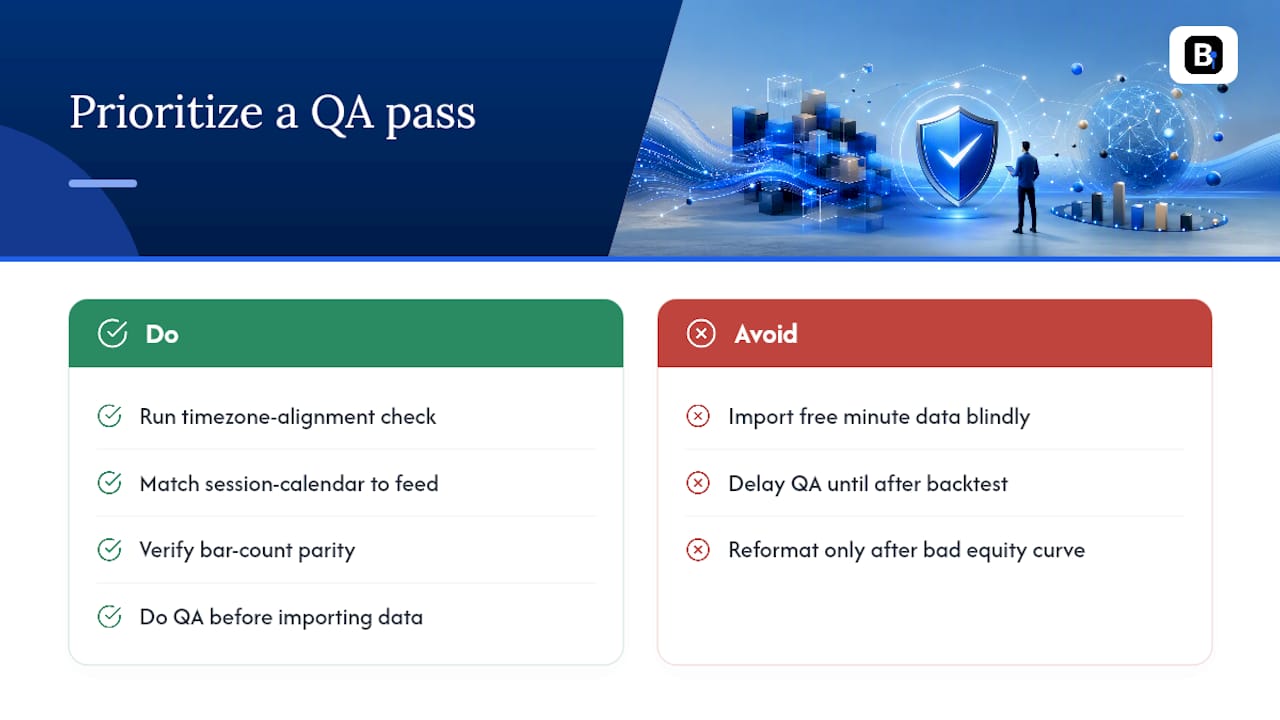
The conventional advice, "just download free minute data and import it," skips the part that actually determines whether your backtest means anything: timezone alignment, session-calendar matching, and bar-count parity. Those three checks take fifteen minutes and eliminate the majority of false signals traders chase for weeks. If you prioritize one thing from everything above, prioritize the QA pass before the import, not after. Reformatting a broken dataset after your equity curve looks wrong wastes far more time than checking it up front.
Preformatted, pre-QA'd datasets aren't a shortcut for developers who don't want to learn the format. They're the same rigor a careful developer would build manually, just already done.
— Start
Get BacktestMarket Import-Ready Datasets
Skip the column reordering, the timezone guesswork, and the monthly-file merging. A BacktestMarket dataset arrives as a single CSV per symbol, already in MT4/MT5 column order, with timezone metadata and a checksum bundled alongside step-by-step import documentation.
Start by downloading a free sample or requesting a short verification file for the symbol you trade most. Run it through the stale-bar and timestamp checks covered above, confirm it rebuilds higher timeframes cleanly, then move to a full history purchase once you trust the format. If an import doesn't behave the way it should, Backtestmarket's engineers troubleshoot directly rather than routing you through a generic support queue. Browse the full data catalog to find your instrument, or check the MetaTrader import walkthrough if you want the exact click-by-click sequence before you buy. For index traders specifically, the Nasdaq 15-minute dataset and Dow Jones 15-minute dataset are ready to download today.
Sources
Cross-checking your own dataset against independent references catches problems before they reach a live backtest.
- Can You Trust Your Intraday Database?
- Data QA before Algo Trading backtesting: why your dataset can mislead you
Recommended
- Minute Bar Data: What Quants Need for Reliable Backtests
- Data Snooping Bias: How Researchers and Quants Catch It
Related resources
Explore BacktestMarket's how to import data into MetaTrader to put the ideas in this article into practice.