

To trust an MT4 backtest, import clean high-resolution history, set the Strategy Tester to Every Tick with variable spread, then run a per-year gap and timestamp audit before touching your EA logic. If it comes in lower, the data failed, not your strategy. Sources like BacktestMarket exist precisely to skip the shakiest part of this chain: sourcing history you can actually trust.
TL;DR:
- Use high-quality, trusted data sources and verify the accuracy of imports with a per-year gap audit to prevent missing missing chunks during backtesting.
- Ensure tick data is imported with "Every Tick" mode to achieve near 99% modeling quality, especially crucial for intraday scalping or strategies sensitive to sub-minute price movements.
- Normalize symbol names, timestamps, and handle time zone differences carefully to avoid corrupting the history data and introduce artificial gaps.
- Set MT4 strategies with maximum Bars limits, variable spreads, and restart the terminal after imports to ensure the tester uses the correct, complete dataset.
- Conduct a thorough preflight check including coverage, data consistency, and trade count before trusting a backtest to reflect realistic strategy performance.
Table of Contents
- Why MT4 Backtests Go Wrong: The Unmatched Data Error Explained
- Tick vs. Minute Bars: What "99% Modeling Quality" Actually Means
- Sourcing and Preparing Historical Data for MT4: A Practical Workflow
- Configuring MT4 and the Strategy Tester for Maximum Modeling Quality
- Data Validation and the Per-Year Gap Audit
- Quick Preflight Checklist Before You Trust a Backtest
- When to Buy Prepared Datasets vs. Build Your Own Pipeline
- How BacktestMarket Helps You Skip the Riskiest Step
- Where to Go Next for the Technical Details
- Sources
Why MT4 Backtests Go Wrong: The Unmatched Data Error Explained
Most bad backtests aren't a coding problem. They're a data problem wearing a coding costume.
The classic symptom is the "Unmatched Data Error," which fires when the Strategy Tester asks for price points or timeframes that simply don't exist in the terminal's local history files. It typically shows up as a hard halt mid-test, a modeling quality reading that's suspiciously low, or a start date that quietly shifted later than what you selected. According to Earnforex, gaps or corrupted segments introduced during import are the usual trigger, not a bug in the tester itself.
Underneath that error sit a handful of terminal-side causes worth knowing by name:
- HCC/HC history corruption. MT4 stores minute history in its own HCC/HC file structure, and a partial or interrupted import can leave that structure inconsistent.
- Max Bars limits. The terminal caps how much history it loads into memory at once, which can silently truncate long test windows.
- Symbol name mismatches. "EURUSD" versus "EURUSD.a" versus "EURUSDpro" are different symbols to MT4, even if they represent the same pair.
- Synthetic fill bars. When MT4 can't find real ticks, it manufactures them from surrounding M1 data, and those synthetic bars can mask a real hole in coverage.
Before you touch a single line of EA code, verify symbol names match exactly, re-download whatever history is missing, and rerun a fresh audit. Debugging strategy logic against corrupted history is a waste of an afternoon.
Tick vs. Minute Bars: What "99% Modeling Quality" Actually Means
Tick data records every single price change: every bid, every ask, every microsecond the market moved. M1 bars compress an entire minute into four numbers (open, high, low, close). When you run a backtest without real tick history, the Strategy Tester doesn't leave that minute blank. It interpolates, generating synthetic ticks that walk from the open to the high to the low to the close in a fixed, predictable pattern.
That interpolation is exactly why modeling quality caps out where it does. To hit the high-quality range, you need real tick datasets imported and converted into the tester's own format, with "Every Tick" selected as the modeling method, according to HutterTrade's guide to backtest accuracy settings. Skip any one of those steps and the ceiling drops hard.
Modeling quality callout: A properly imported tick dataset run under Every Tick mode routinely reaches modeling quality near 99%. Anything meaningfully below that number means the tester is filling gaps with guesswork, not history.
Not every strategy needs tick-level granularity, though. Here's a rough decision rule:
- Require real tick history for intrabar scalpers, anything with stop or pending-order triggers, or strategies sensitive to sub-minute price action.
- M1 bars can be acceptable for lower-frequency H1 or D1 systems where entries and exits resolve on daily or hourly closes, not tick-by-tick noise.
Tick data also carries the bid/ask spread at each moment, so pairing it with variable spread settings in the tester produces cost modeling that reflects what a live account would actually pay, rather than a flat, static number.
Sourcing and Preparing Historical Data for MT4: A Practical Workflow
Where the data comes from matters as much as how you handle it once it lands in the terminal. Three broad sourcing categories exist, each with a different tradeoff between cost, coverage, and how much you can trust the result without checking it yourself.
Public ECN tick archives are free or cheap but inconsistent. Coverage gaps are common, and you're rarely told what happened during a broker's server maintenance window. Paid clean datasets, like the minute-bar intraday data BacktestMarket has published since 2014, trade a purchase price for consistency and a known preparation standard. Broker-exported history is convenient if you already trade live with that broker, but it inherits whatever quirks that specific broker's feed carries, including any symbol suffix conventions.
Whichever source you pick, the conversion pipeline looks roughly the same:
- Pull raw ticks from the source in whatever native format it provides (CSV, binary, proprietary export).
- Normalize into a standard CSV with consistent timestamp formatting, decimal precision, and column order.
- Run it through a conversion tool that reshapes the CSV into MT4's custom history format or an FXT file the tester can read directly.
- Handle timezone and DST carefully. Broker servers, tick sources, and your local machine may all run on different clocks, and a one-hour offset silently shifts every candle.
- Normalize symbol names to match exactly what your terminal expects, and keep separate folders per broker so you never cross-contaminate history sets.
A full walkthrough of that terminal-side import step lives in BacktestMarket's guide to importing historical data in MT4 and MT5, which covers the folder structure and restart sequence in more depth than fits here.
Pro Tip: Keep a read-only cache of every raw dataset you download, separate from the working copies you convert and edit. When a backtest looks wrong six months from now, you'll want to diff against the original file, not a copy that's already been touched by three different scripts.
Version your datasets like you'd version code, and keep an evidence pack alongside each one: input file hashes, the exact conversion tool and settings used, and the date range covered. That's the difference between a backtest you can defend and one you're just hoping holds up.
Configuring MT4 and the Strategy Tester for Maximum Modeling Quality
Getting clean data into the terminal is half the job. The other half is configuring the tester so it actually uses that data the way you intend.
Run through this checklist before every serious test:
- Confirm Max Bars in chart and Max Bars in history are set high enough that your full test window won't get truncated.
- In Market Watch, right-click and select "Show All" so every symbol you need is visible and loading history, not hidden and idle.
- Choose "Every Tick" as the modeling method, not "Open Prices Only" or "Control Points," which trade accuracy for speed.
- Apply variable spread rather than a fixed number, so cost modeling reflects real market conditions instead of a single static value.
- Restart the terminal after any fresh import. MT4 sometimes caches history in memory and won't recognize new files until it reloads.
One quirk catches a lot of traders off guard: the tester loads a pre-start history buffer sized to your timeframe, and if that buffer isn't available, it shifts your actual start date forward to compensate. Per the MetaTrader 5 documentation on tester preparation, lower timeframes need less of this buffer, which is one more reason a lower-timeframe test can quietly start later than the date you typed in.
When something still fails, the tester's own logs are your first stop. They'll usually point to the specific gap. If a large history request errors out entirely, try paging the import in smaller yearly or quarterly chunks rather than requesting a full decade in one shot. For a deeper recovery walkthrough on HCC/HC corruption specifically, BacktestMarket's missing-data recovery guide covers the terminal-side fixes step by step.
Data Validation and the Per-Year Gap Audit
Here's the number that misleads more quants than it helps: a global "1.6% missing" summary sounds trivial, but that figure can hide an entire month of dead data sitting inside one bad year. A single aggregate percentage smooths over exactly the kind of destructive local failure that wrecks a backtest's conclusions, according to the reproducible audit methodology published on MQL5.
The fix is a per-year gap audit, not a whole-history one. Build it like this:
- Construct the expected time grid for your timeframe. If you're testing M15 data, you know exactly which timestamps should exist between market open and close for every trading day.
- Compare actual data against that grid and flag every missing interval.
- Classify each gap. Weekend closures, recognized holidays, and the handful of rollover minutes around 5 PM Eastern are benign. Missing chunks during active trading hours are defects.
- Report by year, not as one blended number, so a single bad quarter can't hide inside years of clean coverage.
Beyond gap detection, run these mechanical checks on every dataset before it touches a live test:
| Check | What it catches |
|---|---|
| Duplicate timestamps | Corrupted exports or double imports |
| Missing intervals vs. expected session | Real coverage gaps during trading hours |
| OHLC internal consistency | High below low, or close outside the high/low range |
| Spread anomalies | Zero or negative spreads from bad broker feeds |
| CSV/format sanity | Malformed numbers, wrong decimal separators, bad encoding |
How you request the history matters too. Pulling a full date range versus paging through it in smaller requests can return different results from the very same terminal, which is why the MQL5 audit approach verifies actual timestamp spacing rather than trusting that OHLC values being present means the data is complete. Utilities built specifically for this kind of preflight check, like the CSV consistency tool on the MQL5 Market, can automate duplicate and gap detection rather than eyeballing a spreadsheet.
Pro Tip: Design your audit to output two things: a human-readable report you can skim in thirty seconds, and an evidence pack with input file hashes, your exact configuration, and a handful of sample failing timestamps. Six months from now, that evidence pack is what lets you reproduce the exact test, not just remember that you ran one.
For a set of ready-made audit checks aimed specifically at outlier-riddled M1 imports, BacktestMarket's guide to auditing M1 data walks through the checks in more detail than a single table can hold.
Quick Preflight Checklist Before You Trust a Backtest
Run this list every time, before you look at a single equity curve:
- Modeling quality is 99% or higher. Anything lower and the tester is filling in blanks with synthetic ticks.
- Per-year coverage report is clean, with every flagged gap classified as benign, not a defect.
- Symbol and timeframe are synced between your chart, your EA inputs, and the tester settings.
- Spread assumptions are realistic, using variable spread pulled from real tick data, not a flat guess.
- Date range covers at least five years. Backtesting over a shorter window risks fitting to a single market regime, and industry guidance consistently points to five years as the practical minimum for capturing multiple conditions.
- Trade count sanity check passes, generally more than 100 trades, so your statistics aren't riding on a handful of lucky fills.
A useful sanity example: run the same simple time-of-day breakout rule, something mechanical like "buy if price breaks the London-open high," across two different data feeds covering the identical date range. If the two feeds produce meaningfully different trade counts or win rates on an otherwise deterministic rule, the divergence isn't strategy noise. It's data drift, and it's telling you one of the two feeds has quality problems the other doesn't.
If your preflight fails on any point, don't push forward and hope. Re-import the missing years, widen the test window until coverage stabilizes, or if the same feed keeps failing the same checks, switch to a different source entirely. A forward-walk step, training on one window and validating forward into an unseen one, remains one of the clearest ways to catch a data mismatch that a single backtest window would never reveal, per HutterTrade's accuracy framework.
When to Buy Prepared Datasets vs. Build Your Own Pipeline
Building your own tick-to-MT4 pipeline is a legitimate path, but it's a bigger commitment than most traders budget for. Timezone handling alone breaks more converters than any other single step, and a brittle script that worked fine on last year's data can quietly choke on this year's broker export format.
That's the practical calculus: build your own pipeline when you're running a long-term research program that needs custom transformations no vendor will ever offer off the shelf. Buy prepared data when your engineering time is limited, when you need reproducible, auditable history fast, or when you'd rather spend your hours testing strategies than debugging a CSV parser. Clean minute-bar intraday datasets built for direct MT4 and MT5 import, backed by engineers who can answer a support question same-day, remove an entire category of risk that has nothing to do with your trading edge and everything to do with file formats.
The honest answer for most independent quants is that the pipeline is rarely the interesting part of the work. The strategy is.
— Start
How BacktestMarket Helps You Skip the Riskiest Step
Services are available that provide clean, minute-bar historical intraday data across forex, metals, stock indices, bonds, and commodities, packaged as a one-time download and built to import straight into MT4 or MT5 without a conversion project standing between you and your first test. Every dataset maps directly onto the steps covered here: source once, skip the timezone and symbol-normalization guesswork, and get straight to the gap audit and Strategy Tester configuration instead of debugging a broker export at 11 PM.
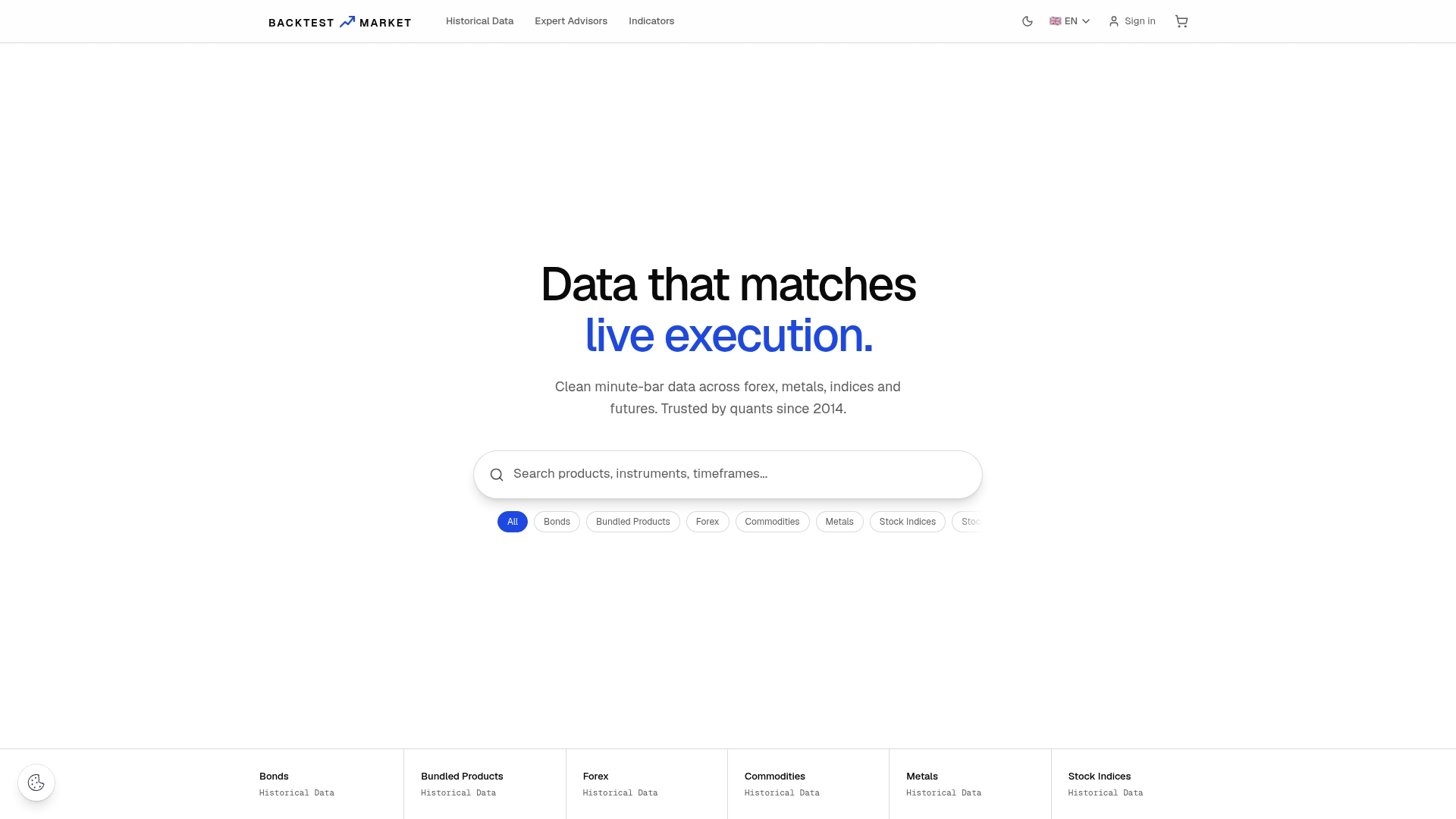
If you're not sure a dataset fits your setup, start with the forex historical data catalog and check coverage against the pairs you actually trade. Then follow the step-by-step MT4 and MT5 import guide to get it into your terminal correctly the first time, folder structure and restart sequence included. If something looks off after import, responsive customer support is available to address questions directly, avoiding long ticket queue delays.
Where to Go Next for the Technical Details
For platform-level specifics beyond what fits here, MetaQuotes' own documentation on timeseries access explains exactly how MT4 stores and retrieves minute history, including the start-date-shift behavior covered earlier. The MetaTrader 5 tester preparation guide documents pre-start buffer requirements by timeframe in full detail. For the audit code itself, the reproducible gap-audit walkthrough on MQL5 includes working Python you can adapt directly, and MQL4's file function reference covers how to write and store your own audit scripts inside the terminal's sandbox.
Sources
- Trust Your Backtest Data First: Building a Reproducible Historical Data Audit in Python for MetaTrader 5 — MQL5
- Earnforex
- How to backtest a trading strategy on MT4 and MT5 — VT Markets
- Tester preparation — MetaTrader 5 documentation
Recommended
- 5 Audits Quants Must Run on Outlier Handled M1 Data Before MT4/MT5
- Holiday Gaps in Market Data: A Quant's Handling Guide
- Audit First MT5 Backtesting Data: Gap, Timestamp, Ready to Import
- Fixing MT4 Missing Data: A Complete Recovery Guide
Related resources
Explore BacktestMarket's historical data packs to put the ideas in this article into practice.