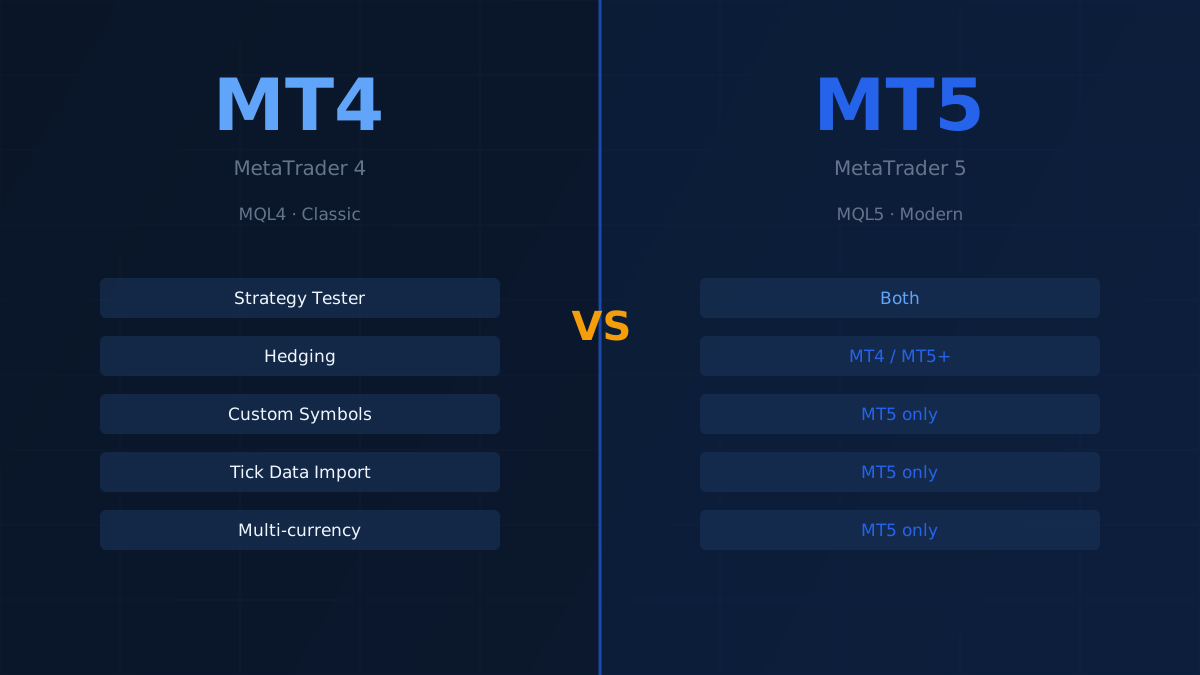
MetaTrader 4 and MetaTrader 5 are produced by the same company (MetaQuotes) and serve similar functions — but they are fundamentally different platforms. MT5 was not designed as an upgrade to MT4. Understanding the distinction matters if you are choosing a platform for backtesting or deploying Expert Advisors.
The Core Difference
MT4 was built specifically for forex trading. MT5 was designed from the ground up to support stocks, futures, and a broader range of order types alongside forex. The result is that the two platforms are architecturally incompatible: Expert Advisors, indicators, and scripts written for one will not run on the other without rewriting.
The programming languages are also different. MT4 uses MQL4; MT5 uses MQL5. MQL5 is more capable and closer to C++, but it requires learning a different API.
Timeframes
| Platform | Available timeframes |
|---|---|
| MT4 | 9 (M1, M5, M15, M30, H1, H4, D1, W1, MN) |
| MT5 | 21 (M1–M12, H1–H12, D1, W1, MN) |
MT5 generates all timeframes from the M1 bar data. This means historical data quality at the 1-minute level determines the quality of every higher timeframe in MT5.
Strategy Tester
This is where the difference is most significant for backtesting.
MT4 strategy tester:
- Single-threaded — one test at a time
- Results exportable as HTML only
- No multi-symbol testing
MT5 strategy tester:
- Multi-threaded — can run parallel tests using the MQL5 cloud network or local CPU cores
- Results exportable as HTML or Excel
- Supports multi-symbol strategies (portfolios)
- More detailed tick modelling
For serious backtesting, MT5 is considerably faster and more flexible.
Order Types
MT4 supports 4 pending order types. MT5 supports 6, adding Buy Stop Limit and Sell Stop Limit — orders that become limit orders when a stop level is reached. This is relevant for strategies that enter on breakouts with slippage control.
Both platforms support hedging. MT5 additionally supports netting accounts, where positions in the same instrument are automatically offset.
Built-in Features
MT5 includes several tools that MT4 lacks:
- Economic calendar — built into the platform, no plugin required
- MQL5 community chat — direct access within the terminal
- Custom symbols — create synthetic instruments for testing (useful for spread trading and index replication)
- Fund transfers between trading accounts
MT4 has none of these natively, though third-party solutions exist for most.
Custom Symbols in MT5
One MT5 feature worth highlighting for quant traders: you can define entirely custom instruments using a formula. The canonical example is the Dollar Index:
USDX = 50.14348112 × EURUSD^(-0.576) × USDJPY^(0.136) × GBPUSD^(-0.119) × USDCAD^(0.091) × USDSEK^(0.042) × USDCHF^(0.036)
You can backtest strategies on this synthetic instrument using MT5's custom symbol feature — but you need high-quality historical data for all component pairs to produce accurate results.
Compatibility
The platforms are not compatible. You cannot:
- Use an MT4 Expert Advisor on MT5 (or vice versa) without rewriting it
- Use an MT4 indicator on MT5
- Import MT4 historical data directly into MT5 (format differences apply)
If you have an existing library of MT4 Expert Advisors, migrating to MT5 requires a development investment. If you are starting fresh, MT5 is generally the better long-term choice.
Which Should You Use?
| Use case | Recommendation |
|---|---|
| Learning to trade algorithmically | MT4 — simpler, more resources available |
| Forex-only strategies, existing MT4 EA library | MT4 |
| Futures, stocks, multi-asset strategies | MT5 |
| Fast parallel backtesting | MT5 |
| Custom synthetic instruments | MT5 |
The industry is moving toward MT5, but MT4 remains dominant in the forex retail market and will continue to be supported. Choose based on your actual use case, not on which platform is newer.
Historical Data Compatibility
BacktestMarket data is available in formats compatible with both MT4 and MT5. The import procedure differs between platforms — see our how-to guides for step-by-step instructions.