

The canonical fix has three parts: store every timestamp as a UTC instant, keep the original timezone or offset as metadata rather than discarding it, and convert using IANA timezone identifiers instead of fixed offsets. Skip any one of these and your pipeline will eventually produce a report, join, or backtest that is quietly wrong by an hour or more.
TL;DR:
- Storing timestamps as UTC and keeping their original timezone or offset as metadata prevents silent errors caused by offset changes or ambiguous times.
- Using IANA timezone identifiers in conversions is essential, as they account for historical and future offset adjustments, unlike fixed offsets that are unreliable over time.
- Addressing DST issues requires storing disambiguation rules and flagging records affected by fall-back or spring-forward shifts to maintain timing accuracy.
- Parsing timestamps with timezone-aware libraries and validating date components ensures consistent normalization, especially for locale-specific or epoch-based formats.
- For analytical purposes, converting all timestamps to UTC and preserving original zone data enables accurate cross-source alignment and reliable backtesting results.
Table of Contents
- Essential terms and common timestamp formats you will encounter
- Canonical steps for normalizing timestamps in pipelines
- Daylight saving time, ambiguous times, and historic or future offset changes
- Short, practical recipes for Python, JavaScript, and PostgreSQL
- Concise checklist for auditing timezone-normalizing pipelines
- How BacktestMarket approaches timezone accuracy in historical data
- Trade-offs and recommended defaults
- A shortcut for teams that would rather buy clean data than build a pipeline
- Sources
- FAQ
Essential terms and common timestamp formats you will encounter
Before you write a parser, get the vocabulary straight. An instant is a fixed point in physical time, independent of location. An offset is a difference from UTC like +05:00. A time zone name (an IANA identifier such as America/New_York) encodes not just an offset but the rules for how that offset changes over time. A naive datetime has no timezone attached; an aware datetime does.
You will meet timestamps in several shapes:
- ISO 8601 strings, with or without a trailing
Zor explicit offset. - Epoch values in seconds, milliseconds, microseconds, or nanoseconds.
- Log formats such as syslog or Apache combined logs, which often carry a fixed offset rather than a zone name.
- Locale-specific numeric dates, where day and month order is ambiguous without a stated convention.
Fixed offsets look precise but are brittle for anything historical or future-dated, because political and legislative changes shift a region's offset over time. Named IANA zones, by contrast, are backed by rules that are updated periodically to reflect exactly those changes, which is why they belong in your schema, not just your display layer.
Canonical steps for normalizing timestamps in pipelines
A normalization step should never guess silently. If the input carries an offset or is already an epoch value, you can convert it to an instant directly. If it is a bare local time with no zone information, the zone has to be assumed, and that assumption needs to be visible downstream, not buried in code.
- Parse the raw string or number, preserving it unchanged alongside the parsed result.
- Convert to a UTC instant whenever the input specifies an offset, a zone, or is epoch-based.
- Store the UTC instant, the original timezone or offset, and the raw input together.
- When you need a local time for display, joins, or reporting, convert from the stored UTC instant using the IANA zone rules for that record's context, not by re-applying a fixed offset.
- For missing or conflicting offset information, choose one policy: flag the record, apply a documented default zone, or route it to manual review.
Two use cases pull in different directions. Scheduling systems (cron jobs, calendar invites, trading session windows) need to preserve wall-clock intent, since "9:30 AM local" should still mean 9:30 AM local after a DST shift. Analytics and backtesting pipelines want the opposite: a single UTC timeline so that joins, deduplication, and aggregation behave consistently regardless of where the data originated.
Pro Tip: Never overwrite the raw input field during normalization. When a parsing bug surfaces six months later, that raw string is the only way to reprocess the record correctly.
Daylight saving time, ambiguous times, and historic or future offset changes
DST creates two distinct failure modes. In fall-back, a local clock repeats an hour, so a wall-clock time like "1:30 AM" can refer to two different instants. Python's datetime model resolves this with the fold attribute from PEP 495, and JavaScript's Temporal.ZonedDateTime exposes explicit disambiguation options (use, ignore, reject, prefer) for the same problem, letting you decide whether an incoming offset or the named zone should win.
In spring-forward, a local clock skips an hour entirely, producing a "nonexistent" local time that no instant maps to cleanly. Your parser needs a defined behavior for this case rather than an unhandled exception.
- Store which disambiguation rule was applied to each ambiguous or nonexistent record.
- Flag records for manual review when the rule's default choice matters for the analysis.
- Treat any offset-only historical timestamp as suspect, since offsets do not encode political rule changes the way named zones do.
Offset strings carry no history. A fixed +05:00 recorded five years ago may not represent the same wall-clock relationship a named IANA zone would show for that date, because the tz database is revised whenever a country changes its DST policy or standard offset.
Short, practical recipes for Python, JavaScript, and PostgreSQL
Each ecosystem handles timezone-aware datetimes differently, and the gaps between them are where bugs hide.
In Python, use zoneinfo.ZoneInfo to attach an IANA zone to a naive datetime and produce an aware one. On platforms without a system tz database, notably Windows, zoneinfo falls back to the tzdata package, so declare that dependency explicitly rather than relying on the host operating system. Use fold to disambiguate repeated local times during fall-back, and catch ZoneInfoNotFoundError rather than letting a missing zone crash a batch job.

In JavaScript, prefer Temporal.ZonedDateTime or Temporal.Instant over the legacy Date object for anything timezone-sensitive. The MDN Temporal reference documents how the offset option resolves conflicts between a stated offset and a named zone: use ignore when the zone identifier should take priority, use when the incoming offset must be trusted exactly as given.
In PostgreSQL, timestamptz stores every value internally as UTC and converts it to the session's TimeZone setting on output. It never remembers the original input offset or zone name, a point the PostgreSQL datetime documentation states directly, so if audit or replay matters, add separate columns for the original timezone key and the raw timestamp string.
| Environment | Aware type | Ambiguity handling |
|---|---|---|
| Python | zoneinfo.ZoneInfo with datetime | fold attribute (PEP 495) |
| JavaScript | Temporal.ZonedDateTime | offset option: use, ignore, reject, prefer |
| PostgreSQL | timestamptz | none stored; convert with AT TIME ZONE |
- Validate day/month order explicitly for locale-numeric dates rather than trusting a default parser.
- Check for precision truncation when converting between epoch seconds and milliseconds.
Concise checklist for auditing timezone-normalizing pipelines
Run this against any ETL job or streaming pipeline that touches timestamps.
- Ingest the raw timestamp value and its source metadata, and never discard the raw string.
- Parse using a library that understands IANA zones, and log every assumption the parser makes.
- Convert to a UTC instant, then write both the UTC field and the original timezone or offset field.
- Add a boolean or enum flag for records where the zone was assumed or the local time was ambiguous.
- Test explicitly against DST boundary dates, back-dated historical records, and a recent tzdb update.
- Monitor parsing failure rates over time and document the default zone policy for undated legacy data.
Pro Tip: Schedule a recurring tzdb update in your infrastructure. A pipeline that was correct last year can silently drift once a country changes its DST rules.
How BacktestMarket approaches timezone accuracy in historical data
BacktestMarket has supplied clean minute-bar historical intraday data across forex, metals, bonds, and stock indices since 2014, which means the timezone normalization work described above has already been done on the raw feed rather than left to each customer. Datasets download as a complete, ready-to-import package for MT4 and MT5, removing a common source of DST-related and GMT-offset errors in intraday backtests.
- Support comes directly from the engineers who build the datasets, not a general help desk.
- Readers troubleshooting specific issues can check the forex DST fix guide or the MT4 GMT offset walkthrough.
Trade-offs and recommended defaults
Default to UTC for anything analytical: aggregation, deduplication, cross-source joins. Keep the original timezone or offset stored alongside it, always, because you cannot reconstruct intent from a UTC-only record. Reach for wall-clock preservation only when the domain demands it, such as scheduling or legal recordkeeping, where "9 AM local" must stay 9 AM local even after a DST change. The rule that covers most cases: store UTC, keep the original timezone, convert with IANA-aware tools.
— Start
A shortcut for teams that would rather buy clean data than build a pipeline
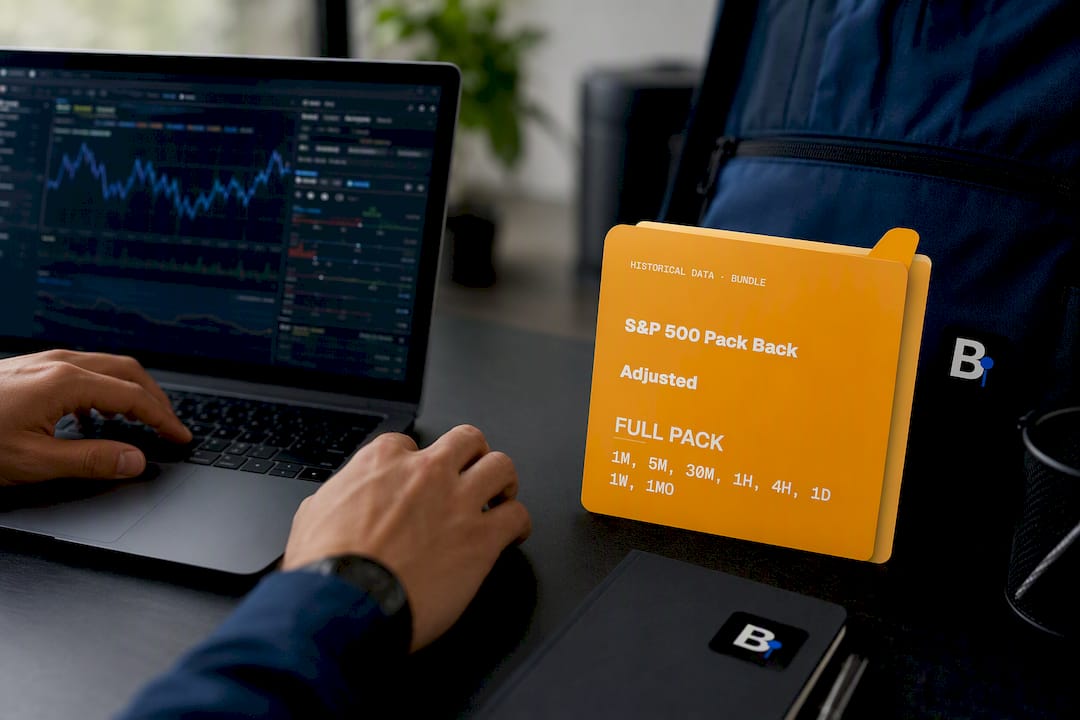
Building the normalization pipeline above takes real engineering time, and for quant teams the payoff has to justify that cost against actually testing strategies. BacktestMarket's Historical Data sets arrive with timezone handling already resolved, and the S&P 500 Pack Back Adjusted is a concrete starting point for equity index backtests.
- Datasets are formatted for import into MT4 and MT5 without a separate conversion step.
- Support is provided by knowledgeable staff who maintain the data, rather than a general help desk.
- The Annual Plan covers ongoing access for teams that update strategies regularly.
Browse the Historical Data catalog to see which instruments and timeframes are available for your next backtest.
Sources
- Temporal.ZonedDateTime — MDN
- zoneinfo — IANA time zone support — Python docs
- IANA time zone database release notes (2026c)
- PostgreSQL functions and operators for datetime
FAQ
When should you not normalize data?
Normalization can hurt when you need to preserve exact wall-clock intent, such as a scheduled event that should always fire at 9 AM local regardless of DST shifts. In those cases, keep the original local time and zone as the primary record rather than collapsing everything to UTC.
Is it better to normalize or standardize data?
For timestamps specifically, normalization to a UTC instant is the practical standard, since it gives you one consistent timeline for joins and aggregation. "Standardizing" the format (ISO 8601, for example) matters too, but format consistency alone does not fix timezone ambiguity.
What is the best way to normalize data timezone?
Parse the original timestamp with a library that understands IANA zones, convert it to a UTC instant, and store the original timezone or offset alongside that instant. Use named zones like America/Chicago rather than fixed offsets, since the IANA tz database accounts for historical and future political changes that offsets cannot.
How do you normalize time series data across zones?
Convert every observation to a UTC instant before aligning or resampling the series, since local timestamps from different sources are not directly comparable. Keep the source zone as metadata so you can still reconstruct local market hours or trading sessions when needed for analysis.
Why do PostgreSQL and application code sometimes disagree on timestamps?
PostgreSQL's timestamptz type stores values as UTC internally and converts them to the session's TimeZone setting on output, which the PostgreSQL documentation states directly. If your application assumes a different default zone than the database session, the same stored instant will display as two different local times.
Recommended
- Forex Daylight Saving Time: Fixing DST Errors in Minute Data
- How to Fix the MT4 GMT Offset for Accurate EA Timing
- Minute Bar Data: What Quants Need for Reliable Backtests
Related resources
Explore BacktestMarket's historical data packs to put the ideas in this article into practice.