

Use Parquet when you analyze large tables repeatedly and care about speed, storage and consistent data types. Use CSV when the file has to open everywhere, be read by a person, or be imported by software that only accepts text. Most serious data workflows end up with both: CSV at the edges, Parquet in the middle.
This guide compares the two on the things that decide the choice: size, query speed, schema, compatibility and write behavior. It then covers the settings that make Parquet fast or slow, with a section on what this means for time-series work such as backtesting trading strategies.
TL;DR
- Parquet is a binary, column-oriented format with a built-in schema and compression. It is smaller and much faster for analytical queries that touch only some columns.
- CSV is plain text, row by row. It is universal, human-readable and easy to write, but larger, slower to parse and loose about data types.
- In one public benchmark on 11.2 million rows, Parquet with ZSTD was 6.8x smaller than CSV and queries ran 22-60x faster.
- Parquet's weak spots: you cannot open it in a text editor, and some tools (MetaTrader 4 and 5 among them, in the import workflow we describe below) still expect CSV.
- File layout matters: aim for roughly 100K to 1M rows per row group and never add a second compression layer on top of Parquet.
Table of Contents
- How the two formats store data
- Parquet vs CSV at a glance
- File size: how much smaller is Parquet?
- Query speed: why columns matter
- Schema and data integrity
- Where CSV still wins
- Getting Parquet settings right
- What this means for backtesting
- Our perspective
- Clean minute-bar data, ready to import
- How to choose: a short checklist
- FAQ
- Sources
How the two formats store data
CSV: text, one row at a time
A CSV file is lines of text with values separated by a delimiter, usually a comma. Every row is stored in full, one after another. To read a single column, a program still has to scan and parse every row.
CSV is often described as a standard, and RFC 4180 did define it as a MIME type in 2005. In practice, files in the wild vary in delimiters, quoting, line endings, date formats and decimal separators. Nothing in the file says whether 20240105 is a date or an integer, or whether an empty field means zero or missing.
Parquet: columns, grouped and compressed
Apache Parquet is an open source, column-oriented file format designed for efficient storage and retrieval, with compression and encoding schemes built in. (Pronunciation, since people ask: it is usually said "par-KAY", like the French word for a wooden floor.)
Inside a file, data is split into row groups. Each row group holds column chunks, and each chunk is divided into pages, as ClickHouse's walkthrough of the format explains. Because all values of one column sit together, they compress well and can be read without touching other columns. The file also carries its own schema and statistics.
Parquet vs CSV at a glance
| Criterion | CSV | Parquet |
|---|---|---|
| Storage layout | Row by row, plain text | Column by column, binary |
| File size | Largest | Much smaller, built-in compression |
| Analytical query speed | Slow: parses every row and field | Fast: reads only needed columns, skips chunks |
| Schema and types | None, inferred by the reader | Stored in the file, enforced |
| Human-readable | Yes | No, needs a tool |
| Compatibility | Almost everything | Most analytics tools, fewer legacy programs |
| Writing | Simple and fast, append-friendly | Heavier, written in batches |
| Best for | Exchange, import, small files, inspection | Repeated analysis of large tables |
File size: how much smaller is Parquet?
Substantially. A MotherDuck benchmark on 11,198,026 NYC taxi rows measured the CSV at 1.09 GB, against 164 MB for Parquet with ZSTD (6.8x smaller) and 218 MB with Snappy (5.1x smaller).
An older Ursa Labs comparison points the same way. Results depend on the data: columns with many repeated values (symbols, categories, flags) compress dramatically, while columns of high-entropy floating-point numbers compress less.
You can shrink CSV with gzip, and plenty of people do. That narrows the gap on disk but not the real cost: a gzipped CSV must be fully decompressed and parsed as text before any query runs.
Query speed: why columns matter
Suppose you have a table with 40 columns and your analysis uses three. With CSV, the engine reads and parses all 40 for every row. With Parquet, it reads only the three column chunks it needs.
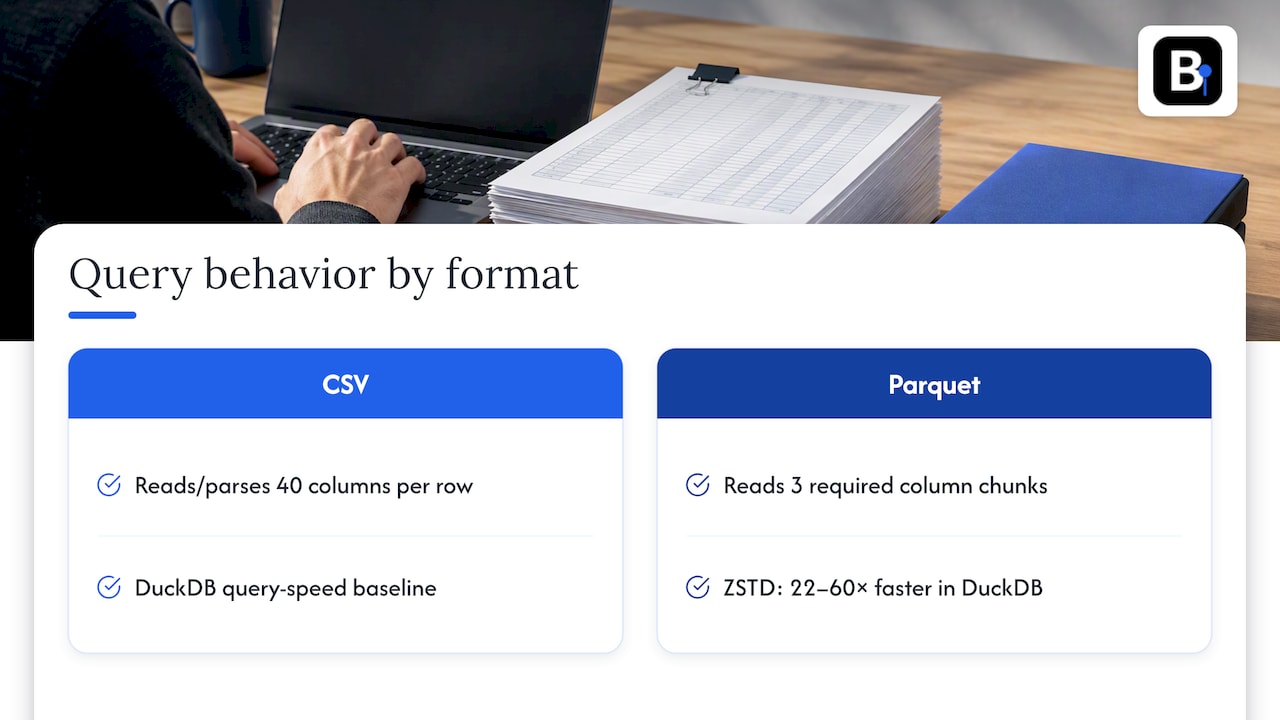
In the same MotherDuck test, Parquet with ZSTD ran 22x to 60x faster than CSV in DuckDB, depending on how many columns the query touched. The fewer columns you need, the bigger the gap.
Decompression speed is part of the story too. ClickHouse's analysis found that Parquet's best compression options are nearly 10x faster to decompress than heavily compressed text such as BZIP2-compressed CSV. If you run the same analysis many times, that cost is paid on every run.
Skipping data before reading it
Parquet stores statistics such as minimum and maximum values per column chunk in its metadata. A query engine can use them to skip whole chunks that cannot match a filter. This is called predicate pushdown, and DuckDB documents it as one of the reasons querying Parquet directly is efficient. A text format has nothing equivalent: to find rows in a date range, the engine reads the text.
The same idea powers bulk historical datasets elsewhere in finance. If you want a different example of metadata-driven selective reads across big archives, see this guide to large historical datasets for reproducible backtests.
Schema and data integrity
This is the underrated difference. Parquet stores column types in the file. A timestamp is a timestamp, a 64-bit float stays a 64-bit float, and a reader cannot silently decide otherwise. Research on analytical formats, such as the VLDB Journal survey of data formats in analytical DBMSs, treats on-disk formats like Parquet as designed around structure and encoding, which text files lack.
With CSV, every consumer guesses. Common failure modes:
- A column of prices is read as text because one row contains a stray character.
- Dates parse as day-month in one tool and month-day in another.
- Leading zeros disappear from identifiers.
- A decimal comma in a European export splits a number into two fields.
- Timestamps lose their time zone, and nothing tells you which zone they were in.
None of these is a flaw in your analysis code. They are the cost of a format that carries no types. For anything where one wrong value changes a result, a typed format removes a whole class of silent errors.
Where CSV still wins
Parquet is not better at everything. Choose CSV when:
- The recipient is a person or a legacy program. You can open CSV in a spreadsheet or text editor and see exactly what is in it. Parquet needs a library or viewer.
- The file is small. A few thousand rows will load instantly either way, and the extra tooling is not worth it.
- You are streaming or appending. Writing one more line to a CSV is trivial. Parquet files are written in batches and are not meant to be appended line by line.
- You need to import into software that only accepts text. Many trading platforms, accounting tools and older databases take CSV and nothing else.
- You need to diff or patch the file with ordinary text tools.
Getting Parquet settings right
A Parquet file written badly can lose most of its advantage. Three settings matter.
Row group size
A file with one giant row group cannot be read in parallel, and one with tiny groups pays heavy overhead. DuckDB's guidance is to aim for row groups of roughly 100K to 1M rows, so each CPU thread can process a group independently.
The Parquet project itself recommends large row groups (512 MB to 1 GB) for sequential I/O, a figure tuned for distributed storage. On a workstation, thinking in rows per group, matched to your thread count, is the more practical approach.
File size
For DuckDB-style analytics, individual files between 100 MB and 10 GB are the recommended range. Thousands of tiny files slow everything down; so does a single multi-hundred-gigabyte file.
Compression
Parquet compresses internally with codecs such as Snappy, ZSTD or LZ4. Do not gzip the finished file into .parquet.gz: you gain almost nothing in size and add CPU work on every read. If you run the same queries often, lighter codecs such as Snappy or LZ4 keep decompression from becoming the bottleneck. ZSTD gives smaller files, as the benchmark above showed, at a modest speed cost.
What this means for backtesting
Backtests are a near-ideal Parquet workload: large time-ordered tables, many repeated runs, and queries that usually touch a few columns (timestamp, open, high, low, close) over a date range. Repeated reads of a typed, compressed, chunk-skipping file are faster than re-parsing text every time. If you build your own research pipeline in Python, a Parquet layer for cleaned data is a sensible design. Our own overview of market data formats for developers and quants covers Parquet alongside binary encodings and alternative bar types.
But the format is only half the question. A beautifully typed Parquet file full of bad ticks gives you fast, consistent, wrong results. Cleaning comes first, and we walk through one approach in our three-condition spike test for intraday data.
And the other half is the destination. If your testing happens in MetaTrader 4 or 5, you will end up importing CSV regardless, and our guide to importing CSV data into MT4 shows the steps.
Our perspective
We sell clean minute-bar historical data, and we get this question from traders who are choosing how to store and move it. Our view is simple: the file format is a delivery detail, and data quality is the product.
We have seen the same pattern many times. A trader spends days converting formats to speed up a backtest, then finds the real distortion was a bad bar or an undocumented adjustment in the source. A fast format cannot fix that. A clean CSV loaded into MT4 or MT5 will give you more trustworthy results than a quick Parquet file built from unverified data.
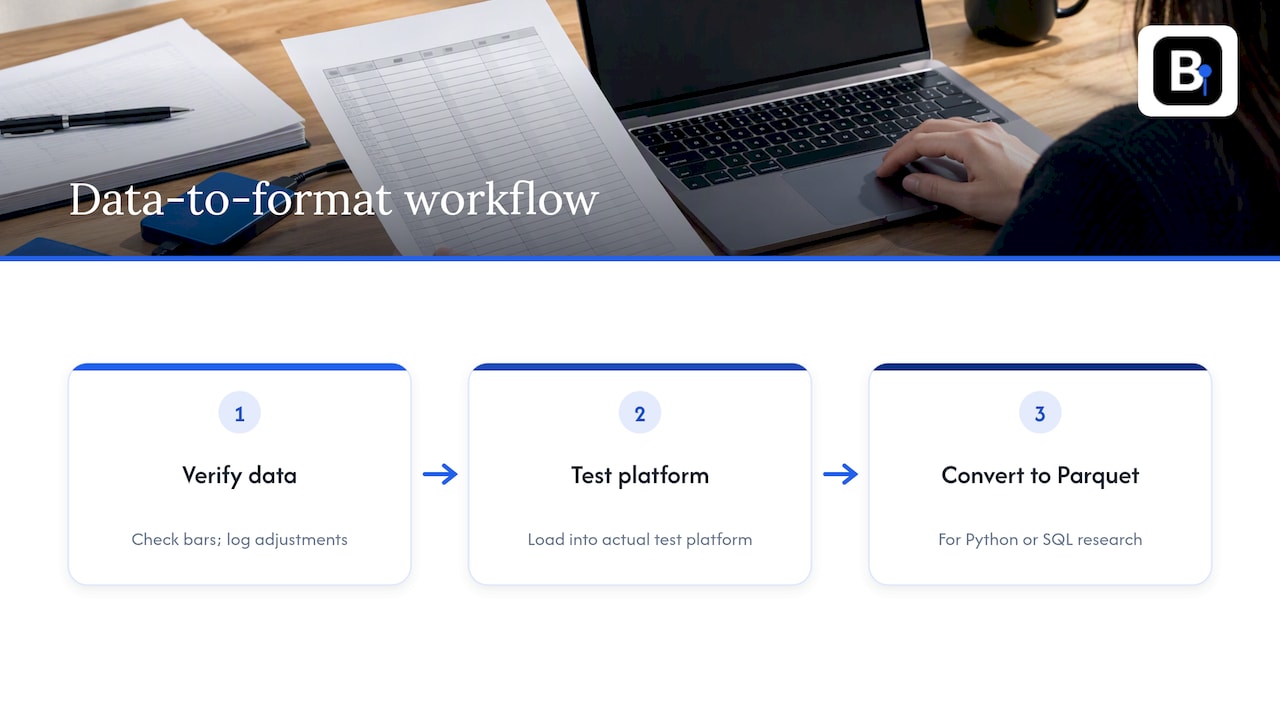
So our advice is to sequence the decisions. First, verify the data bar by bar and document adjustments. Second, load it into the platform you actually test in. Third, if your research outgrows that platform and you move to Python or SQL engines, convert the clean data to Parquet once and query that copy. CSV for exchange, Parquet for analysis, and never skip the cleaning in between.
— Start
Clean minute-bar data, ready to import
If you test in MT4 or MT5, we deliver complete, verified minute-bar datasets since 2014 across forex, metals, stock indices and bonds, ready for direct import, with support from the engineers who collect the data. Browse the historical data sets, or see the Annual Plan at €119 per year.
How to choose: a short checklist
- Will a person or a legacy tool open this file? Choose CSV.
- Is it under a few hundred thousand rows and used once? Choose CSV, and save the effort.
- Will you query it repeatedly, mostly a subset of columns or a date range? Choose Parquet.
- Does type consistency matter to your results? Choose Parquet, or a CSV with a documented schema you validate on load.
- Is storage or transfer cost a concern? Choose Parquet, with ZSTD for archives and Snappy or LZ4 for hot data.
- Does the destination software import only text? Keep a CSV export for that step.
A practical default: keep one CSV export for interchange and one Parquet copy for analysis, generated from the same verified source so the two never drift apart.
FAQ
Is Parquet lighter than CSV?
Yes, usually by a wide margin. In a benchmark on 11.2 million taxi trips, Parquet with ZSTD was 6.8x smaller than the CSV. The exact ratio depends on how repetitive your data is.
What is the ideal file size for Parquet?
For analytics with DuckDB, 100 MB to 10 GB per file is the recommended range. Inside the file, aim for row groups of about 100K to 1M rows so reads can run in parallel.
Can I open a Parquet file in Excel or a text editor?
Not directly. Parquet is binary, so you need a library such as pandas or Arrow, a query engine such as DuckDB, or a dedicated viewer. If you need to hand data to someone who works in spreadsheets, export a CSV.
Should I compress a Parquet file again with gzip?
No. Parquet already applies its own compression, so gzipping the file adds CPU cost on every read for almost no space saving. Pick the codec when you write the file instead.
Sources
- Apache Parquet
- Configurations | Parquet
- File Formats | DuckDB
- A Deep Dive into Apache Parquet with ClickHouse, Part 2
- CSV vs Parquet Benchmark | MotherDuck
- Columnar File Performance Check-in for Python and R | Ursa Labs
- Data formats in analytical DBMSs | The VLDB Journal
- Comma-separated values | Wikipedia
Recommended
- Market Data Formats for Developers & Quants: SBE, Parquet, Dollar Bars
- How to Import CSV Data Into MT4 for Backtesting
- Stop Broken Candles in Two Minutes When Importing CSV into MT5
Related resources
Explore BacktestMarket's how to import data into MetaTrader to put the ideas in this article into practice.