

A session break marker is a line drawn on an intraday chart at the point where one trading session ends and the next begins. It is the chart's way of saying that the time between two bars is not ordinary market time. For a quant trader the marker matters twice: it helps you read the chart, and it tells you where your historical data must have gaps, resets or schedule changes that your backtest has to respect. Data that is clean at those boundaries is one reason we publish minute-bar sets that import straight into MT4 and MT5.
TL;DR
- A session break marker is a vertical line (dotted by default in some platforms) where a trading session closes and another opens. It appears on intraday charts, not on daily ones.
- Markers can disappear when you zoom out because platforms tie them to the timeframe, and a break line on every 4-hour bar would just be clutter.
- A session break is not the same thing as a weekend gap, a daily maintenance halt or a lunch break. Each one leaves a different footprint in minute data.
- In a backtest, the boundaries decide which bars exist, which bar a signal can fill on and where daylight saving time shifts your clock. Check them before you trust a result.
- Ready-to-import minute data with documented adjustments saves you from rebuilding session logic yourself.
Table of Contents
- What a session break marker actually shows
- Session breaks vs. weekend gaps, maintenance halts and session labels
- Why markers disappear when you zoom out
- How to turn session breaks on
- What session breaks mean for backtesting
- A worked check you can run in ten minutes
- Where our approach fits
- Our perspective
- FAQ
- Sources
What a session break marker actually shows
A trading session is a defined window in which an instrument trades. A session break is the boundary between two of them. TradeStation's help describes session break lines as vertical dotted lines by default on intraday tick, minute, second and volume charts, and says their type, weight and color can be changed. Other platforms use solid lines, shaded bands or small flags, but the idea is the same.
The marker answers a simple question: did these two neighboring bars belong to the same continuous stretch of trading, or is there a boundary between them? That matters because the price change from the last bar of one session to the first bar of the next is not like the change between two bars in the middle of a session. It can include overnight news, a weekend, a settlement process or a different liquidity regime.
Typical places you will see a break:
- The close of the regular cash session on a stock or index, before the next morning's open.
- The end of the trading day for futures, when the exchange rolls to a new trade date.
- The Friday close and Sunday open in forex and futures.
- A lunch break on exchanges that close midday.
Session breaks vs. weekend gaps, maintenance halts and session labels
Traders often use "session break" for several different things. Separating them keeps your data checks honest.
| Boundary | What it is | What it leaves in minute data |
|---|---|---|
| Session break | End of one session, start of the next | Possible time gap, possible price jump |
| Weekend boundary | Market closed from Friday close to Sunday open | Missing minutes for roughly two days, often a price gap |
| Daily maintenance halt | A short scheduled stop inside the trading week | A one-hour hole in futures data on weekdays |
| Session label (Asia, London, New York) | A convention for when activity concentrates | Nothing missing: the market keeps trading |
The last row is the one that trips people up. Many of the indicators that rank for this keyword draw Asia, London and New York markers. Those are timing aids for 24-hour markets, not breaks in trading. In spot forex nothing stops at the end of the London session; liquidity simply changes. If you want to see where those windows sit and how they overlap, our guide to forex session times, overlaps and DST shifts lays them out, and our Forex World main Sessions indicator draws them on your chart.
The daily maintenance halt
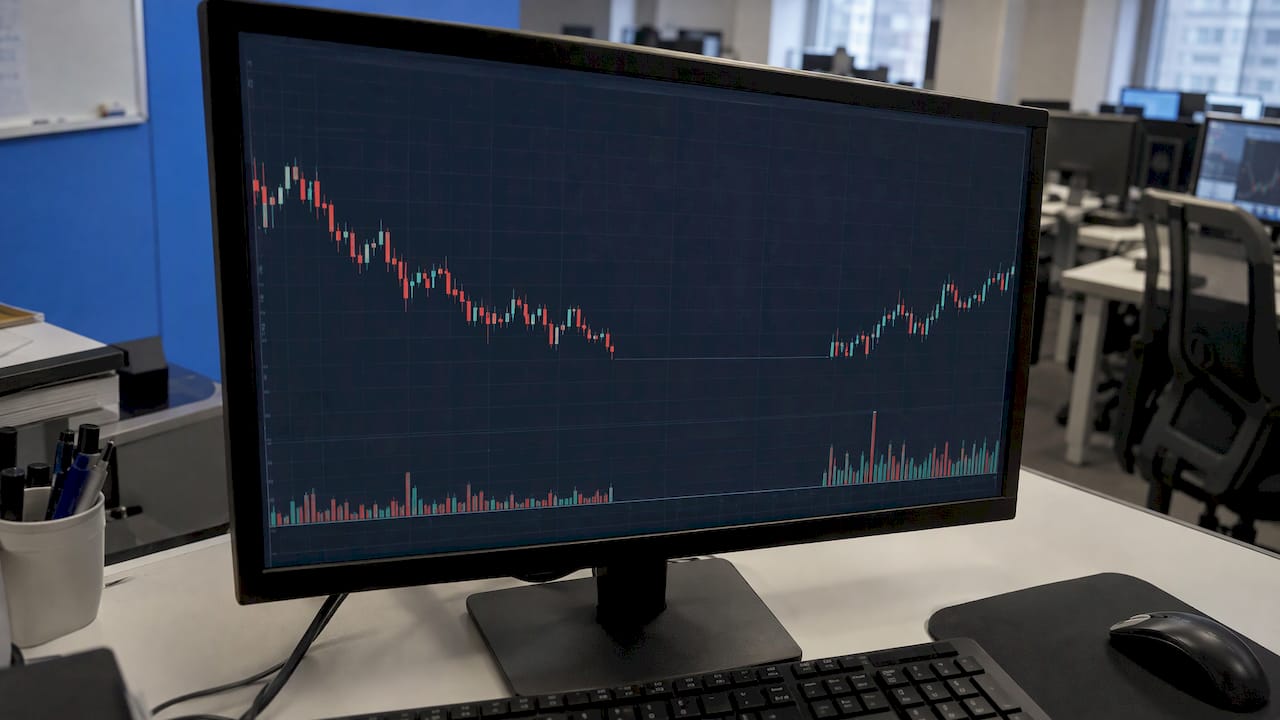
Futures add another kind of break. CME Globex equity index and other major contracts open Sunday evening and close Friday afternoon, and from Monday to Thursday they pause for one hour, 5 to 6 p.m. ET. During that hour no orders are matched, so a minute-bar file for these contracts should show no trades in that window. If your file has bars there, something upstream was filled or mis-timed.
The weekend boundary
The weekend is the largest break in the week and the one that produces the largest gaps. The exchange-hours documentation puts it precisely for CME-style schedules: after Friday's close, the next session is Sunday's 17:00 CT open, and Saturday is not a session. If your data contains Saturday bars, they are artifacts. We cover how to handle them in 3 ways to remove weekend bars from forex data, and why prices jump at the Sunday open in our piece on forex weekend gaps.
Why markers disappear when you zoom out
A common complaint in the results Google shows for this query is that session breaks look useful on 5-, 15- and 30-minute charts, then become noise or vanish at 4 hours. That is expected behavior, and it follows from how the marker is defined.
A session break needs a bar boundary to attach to. On a 5-minute chart, the last bar of a session and the first bar of the next are distinct, so the line sits cleanly between them. On a 4-hour chart, a single bar can straddle the boundary, covering part of one session and part of the next. The platform has no clean place to draw the line. Many platforms therefore show breaks only on intraday timeframes, and some let you restrict them to chosen resolutions.
Three practical consequences:
- Do your boundary checks on a low timeframe. Inspect the one-minute or five-minute chart around the close and open. Higher timeframes hide what you need to see.
- Remember that aggregation changes the bars, not the market. A 4-hour bar built from minute data inherits whatever session logic the minute data had. If the minute data was cut at the wrong hour, every higher timeframe built from it is shifted too.
- Do not read the absence of a marker as the absence of a break. The gap is still in the data.
How to turn session breaks on
The exact menu differs by platform, so treat this as the general pattern and confirm it against your platform's help:
- TradeStation: session breaks are a chart format option, drawn as dotted vertical lines on intraday charts by default, with type, weight and color adjustable, per its Displaying Session Breaks page.
- TradingView: open the chart settings and look for the session breaks option on the events or appearance tab, then use an intraday timeframe.
- MT4 and MT5: the platform has a period separators option in the chart properties. It draws vertical lines at the start of each day on intraday charts. For custom session logic, you add an indicator.
- Your own code: you define the boundaries yourself, which is where the next section starts.
The platform setting only changes what you see. It does not change the data. A chart that looks right with separators on can still sit on a file with a shifted clock.
What session breaks mean for backtesting
A marker on a screen is a visual aid. In a backtest, the same boundaries become rules. Here is where they bite.
1. Which bars exist
If your strategy trades only the cash session, you need to know exactly which minute bars belong to it. For indices, cash and futures hours are not the same, and mixing them changes your results. Our explainer on index trading hours, cash vs. futures sessions walks through the difference.
2. Closed means closed, exactly
Session libraries are strict about edges. The exchange-hours library specifies that closes are end-exclusive: the instant equal to a close counts as closed, so adjacent sessions never overlap. Sessions that wrap past midnight local time are encoded explicitly. An off-by-one-minute mistake at the boundary can let a backtest trade a bar that did not exist, or double-count a bar that belongs to both sessions.
3. Breaks inside a session
Some markets pause in the middle of the day. The exchange_calendars tutorial shows that each session has an open, break start, break end and close time, and that a session with a lunch break is associated with two sets of contiguous trading minutes. If your code assumes one unbroken stretch, indicators such as moving averages and ranges will quietly span a period when nothing traded.
4. Gaps and fills
A stop order does not fill at a price that was never traded. At a session boundary the price can jump from one bar to the next. A backtest that fills at the last price before the break, rather than at the next available bar, will flatter your strategy. This is one of the most common sources of results that look excellent in testing and fail live.
5. Daylight saving time
Session boundaries are defined in local exchange time, but many data files are stamped in a fixed offset or in broker server time. When clocks change, the boundary moves relative to your timestamps for a few weeks. If the file does not handle it, your "New York close" bar lands an hour off for part of every year. We explain how to detect and fix this in forex daylight saving time: fixing DST errors in minute data.
6. Futures rolls
For futures, a new contract month brings a price discontinuity that looks like a break but is not a session boundary at all. Back-adjusting removes it from the series. Our note on rolling rules for futures contracts shows the common conventions.
A worked check you can run in ten minutes
Take any minute-bar file and test its session logic before you test a strategy.
- Pick three dates: an ordinary Wednesday, a Friday before a weekend and the Monday after a daylight saving change.
- List the first and last timestamp of each trading day and compare them with the official schedule for the instrument.
- Count the minutes in each session. A full cash session of 6.5 hours should have 390 one-minute bars, minus any minute with no trades if the file leaves empty minutes out. Know which convention your file follows.
- Look for bars on Saturday, inside the maintenance hour and during known holidays. There should be none.
- Compare the same date a week apart across a DST change. If the session open moved by an hour in your timestamps, the clock is not normalized.
- Plot the break. Turn on session breaks on a 5-minute chart and confirm the lines sit where the schedule says.
If all six pass, your boundaries are sound and the remaining errors are strategy errors, which is where your time should go.
Where our approach fits
Rebuilding session logic for every instrument is slow work, and a small mistake corrupts everything built on it. Our data sets are clean minute bars since 2014 across forex, metals, bonds and stock indices, delivered as a complete download that imports directly into MT4 and MT5. The Historical Data page lists the sets, and our Annual Plan is priced at €119 per year. For index futures, our Nikkei back-adjusted data shows how an adjusted series is presented.
If you would rather spend your time on strategy than on boundary checks, start with the data set for the instrument you trade and run the ten-minute check above on it.
Our perspective
We collect and maintain our data ourselves, and our engineers answer support questions directly. Most of those questions come down to the same thing: what happens at the edges of the trading day.
Our view is that session boundaries are data-quality questions before they are charting questions. A marker only draws what the file contains. If the file has the right bars at the right times, with adjustments documented, the marker, the backtest and the live result all line up. That is the standard we hold our data to, bar by bar, whether the backtest is run by a person or by an AI-driven process.
The practical benefit of ready-to-import data is that you start from a file where the boundaries have already been dealt with, and you spend your hours testing ideas.
Start
FAQ
What does a session break mean on TradingView?
It is a vertical line marking where one trading session ends and the next begins. You see it on intraday timeframes, and the option sits in the chart settings. It marks a boundary in the data, so the price change across it can include a gap.
What is a session break in trading?
A session break is the point between the close of one trading period and the open of the next. It can be a daily close, a weekend, a scheduled maintenance halt or a midday pause. Exchanges define these in their schedules, and charting platforms draw them from those definitions.
Why do my session break lines disappear on higher timeframes?
A bar on a higher timeframe can span the boundary, so the platform has no clean place to put the line. Many platforms show breaks only on intraday charts. Switch to a one- or five-minute chart to see them again.
Are Asia, London and New York session markers the same as session breaks?
No. Those markers show when activity usually concentrates in a market that trades around the clock. Nothing stops at their edges, so no bars are missing there. Real session breaks are where trading actually halts or the trade date rolls over.
Do session breaks affect backtest results?
Yes. They decide which bars exist, where gaps appear, and where fills can occur. A wrong boundary, a shifted clock after daylight saving time, or bars on a closed day can all change the result. Check the data around the boundaries before you test.
Sources
- Displaying Session Breaks, TradeStation Help
- Futures Market Hours: CME Globex Times, Breaks and Holidays
- exchange_hours documentation (docs.rs)
- exchange_calendars sessions tutorial (GitHub)
Recommended
- Weekend Gap Modeling: Measure, Classify and Backtest Gaps
- Protect Your Backtest: 5-Step Audit for Handling Missing Bars
- Six Bar Aggregation Methods Quants Can Calibrate for ML Backtests
- 3 Ways to Remove Weekend Bars From Forex Data for Backtesting
Related resources
Explore BacktestMarket's Expert Advisor robots to put the ideas in this article into practice.