
What Is an Expert Advisor?
When an algorithmic trader approaches the implementation of an Expert Advisor for MetaTrader for the first time, the most important thing to understand — before any syntax or code functions — is the basic operational structure. An Expert Advisor, also called a Trading Robot, is a software program that runs 24/7 inside a trading platform and constantly monitors market conditions.
This program, written in MQL4, lets traders automate many tasks: reading live prices, opening and closing positions, reading indicator values, performing calculations, and more.
To write an Expert Advisor you first need to open the MetaEditor. Inside MetaTrader 4, click the MetaQuotes Language Editor button in the toolbar — it looks like a yellow notepad icon:

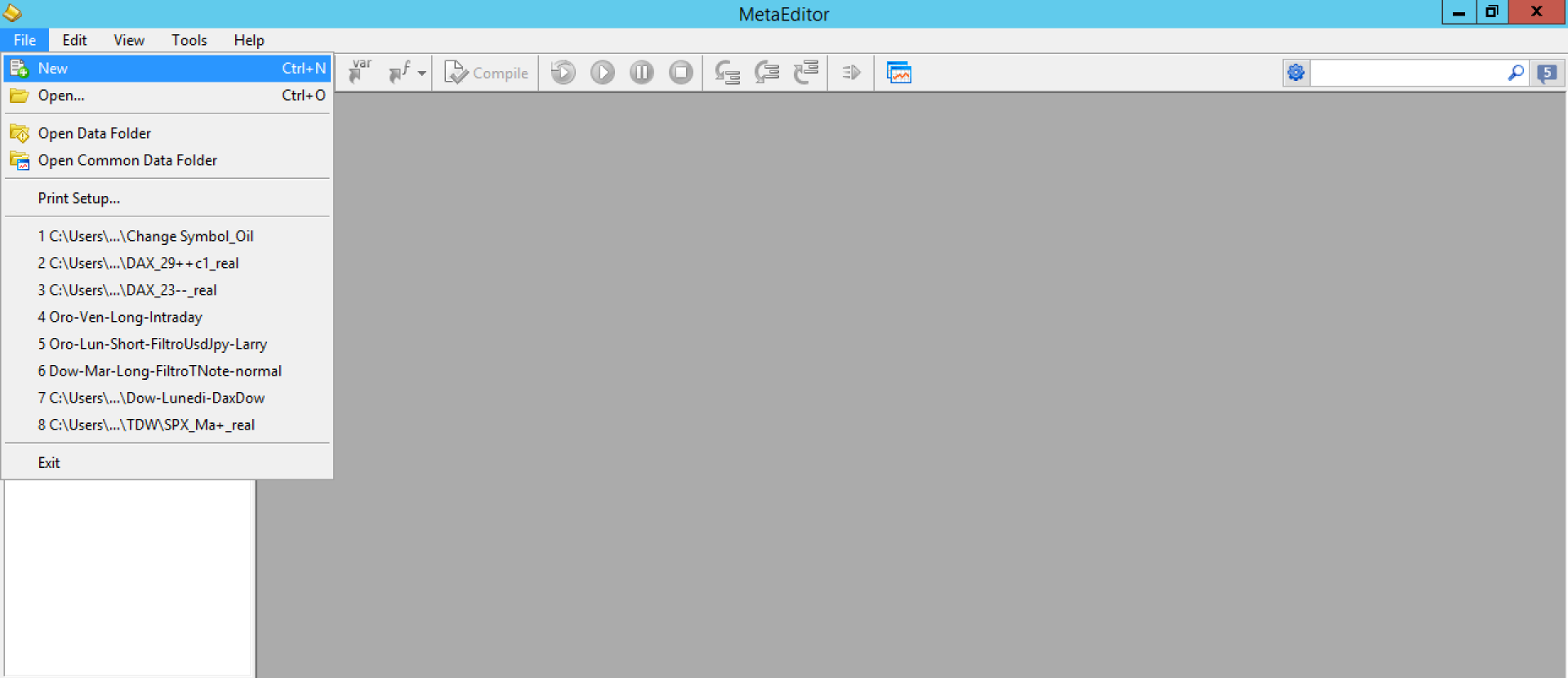
Once inside MetaEditor, click File → New to create a new file:
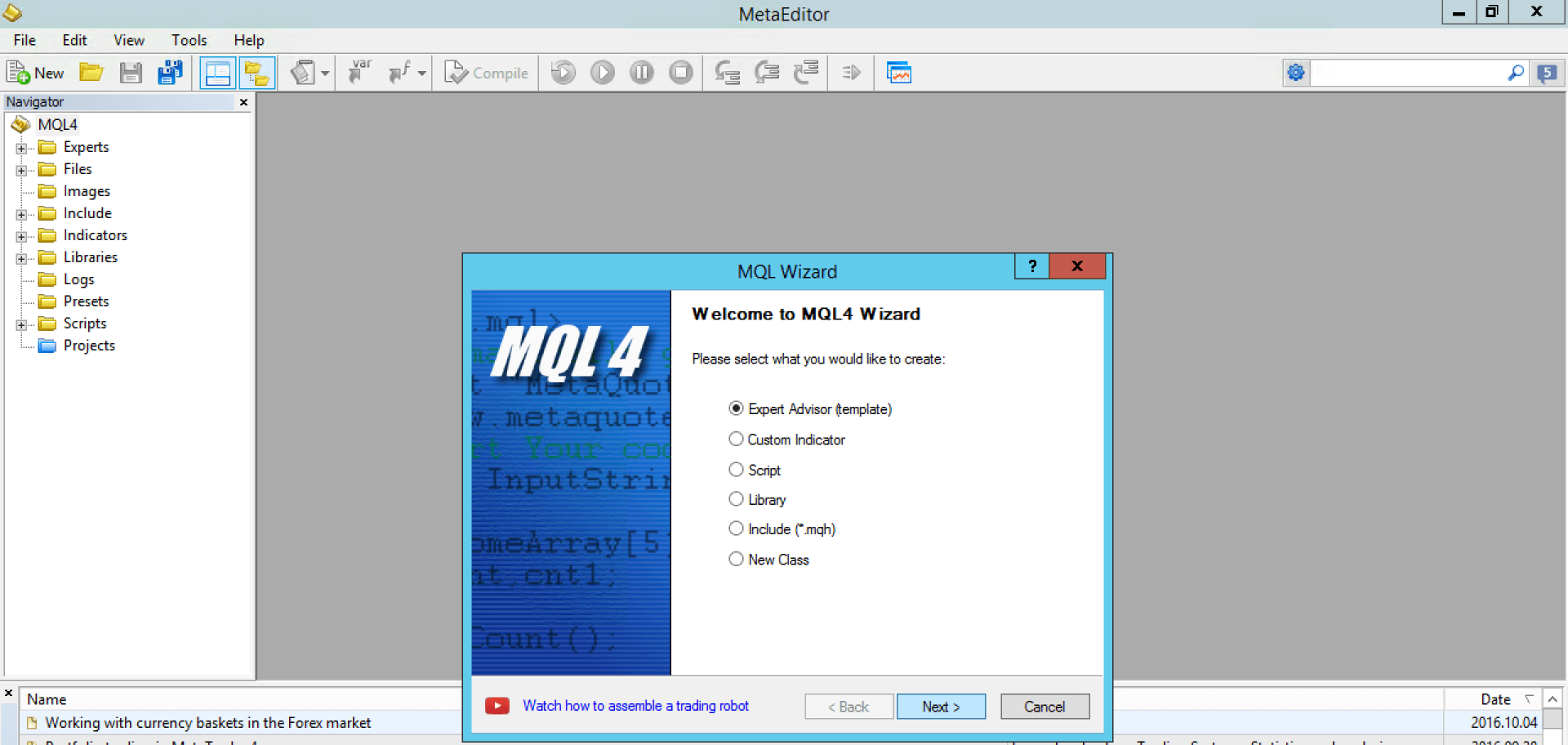
Select Expert Advisor from the list:
Give your Expert Advisor a name — for example, My_First_EA:
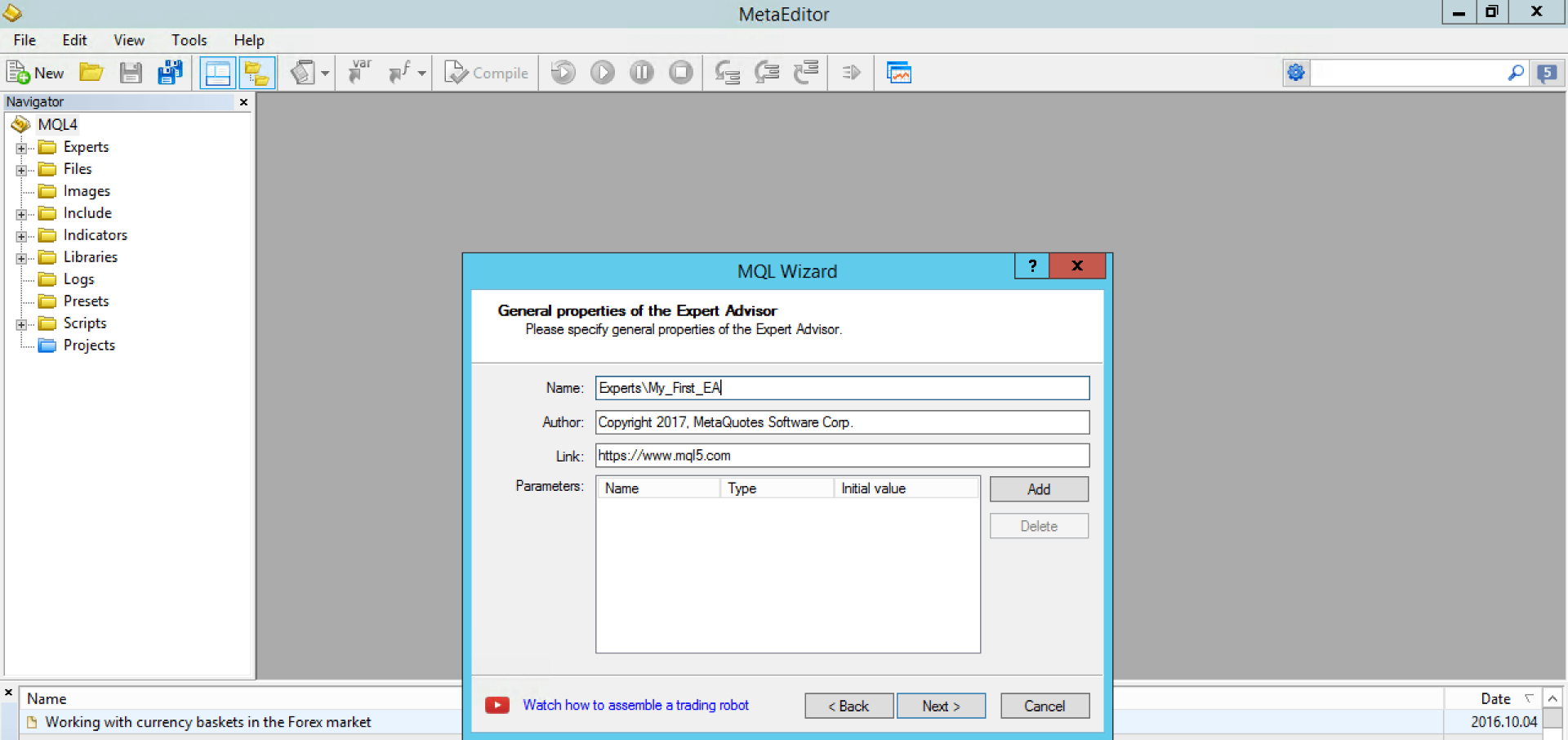
Click Next through the remaining steps and then Finish. MetaEditor will open the basic framework of your new Expert Advisor.
The Structure of an Expert Advisor
The generated skeleton looks like this:
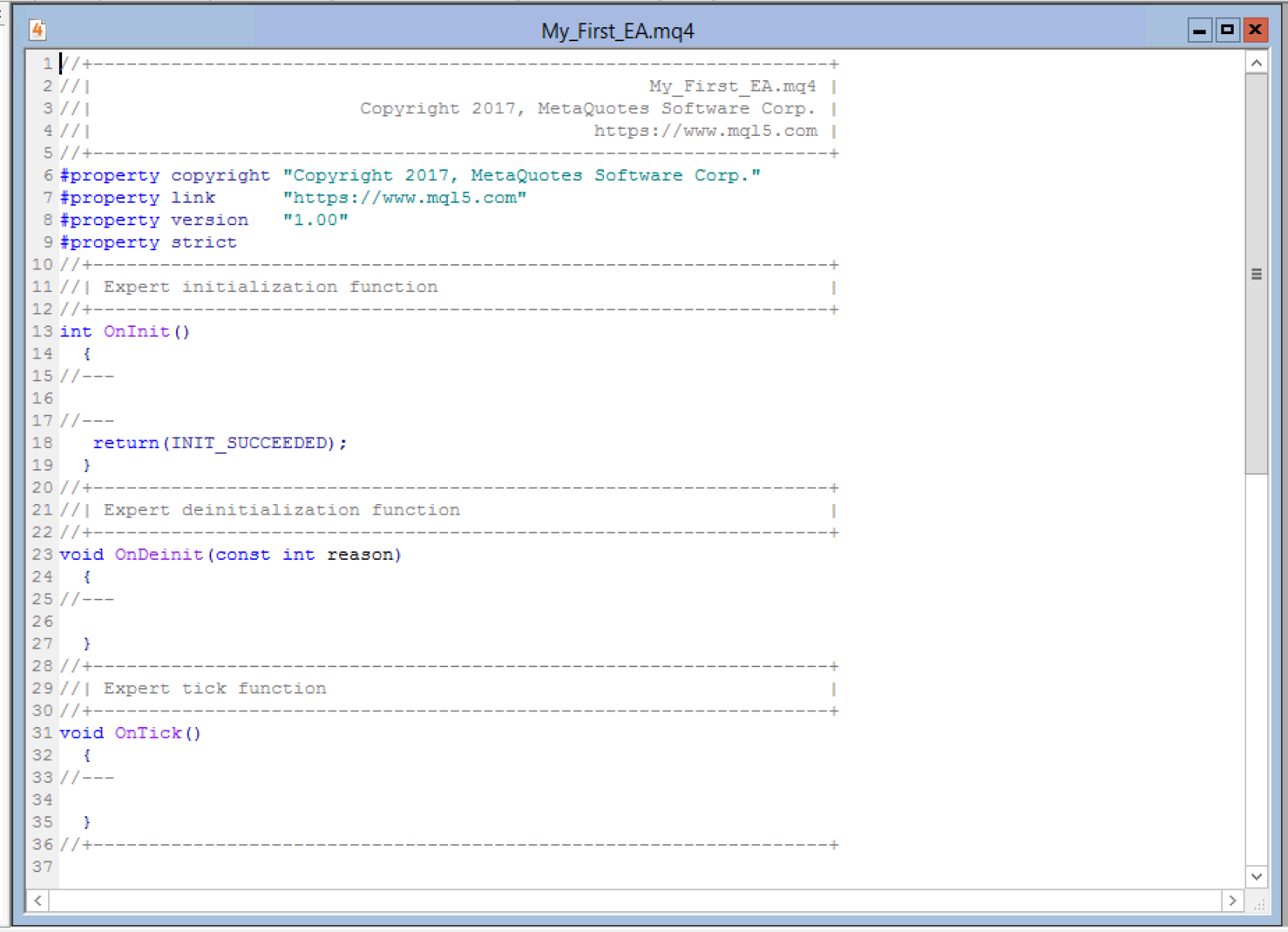
This is the foundation of every Expert Advisor you will ever write. A few things to note:
//comments — Lines beginning with//are notes for the programmer. MetaTrader does not execute them. Use comments to document your intentions.#propertydirectives — Lines beginning with#are metadata used by MetaTrader: the copyright holder, website, and version number. Replace the default MetaQuotes data with your own.
The code does not simply run "from top to bottom once." In practice it executes on every tick — every time the price shifts by any amount, the EA re-runs its logic. That event-driven model is built around three core sections.
The Three Event Handlers
The Expert Advisor is divided into three main sections, each corresponding to a MetaTrader event:
OnInit()
void OnInit() { ... }
This event fires once when the Expert Advisor is attached to a chart. Use it to initialise variables, validate input parameters, and perform any setup that only needs to happen at startup — for example, reading the broker's current spread or calculating the number of decimal places in the symbol's price.
OnDeinit()
void OnDeinit(const int reason) { ... }
This event fires once when the Expert Advisor is removed from a chart — either manually by the trader, or when the platform shuts down. Use it for cleanup tasks: closing pending orders left open by the EA, releasing memory, or writing a final log entry. The reason parameter tells you why the EA was removed (manual removal, chart closed, account changed, etc.).
OnTick()
void OnTick() { ... }
This is the heart of the Expert Advisor. It fires on every price tick — any time the bid or ask price changes. All of your trading logic goes here: reading indicator values, evaluating entry and exit conditions, and calling OrderSend() when a signal fires.
The code you write between the { and } braces of each section is what the machine will execute at the corresponding event. The return(INIT_SUCCEEDED) statement at the end of OnInit() tells MetaTrader the initialisation completed successfully.
Conclusions
The OnInit(), OnDeinit(), and OnTick() functions are the skeleton of every Expert Advisor. Understanding when each one fires — and what kind of logic belongs in each — is the essential starting point for all algorithmic traders.
In Lesson 2, you will learn the two MQL4 functions you will use in almost every EA: iMA() to read a Moving Average indicator value, and OrderSend() to execute a trade.