What Is an Expert Advisor?
Expert Advisors are trading algorithms coded for MetaTrader that automate your trading strategy and trade markets without you needing to sit in front of a computer all day.
You might think: "A way to earn money with low effort — where do I sign up?" The good news is that once your strategy works and your Expert Advisors run correctly, the day-to-day effort really is minimal. The honest part: getting there requires serious work upfront — designing a strategy that survives real market conditions, coding it correctly, and backtesting it thoroughly.
At BacktestMarket we have spent years building and running Expert Advisors. In this series we share what we have learned: what an Expert Advisor actually is, how to code one from scratch, and how to run it safely. All our Expert Advisors are coded in MQL4, the MetaTrader 4 programming language.
How to Set Up MetaTrader to Start Coding Expert Advisors
Open MetaTrader 4. When it loads you will see a screen like this:
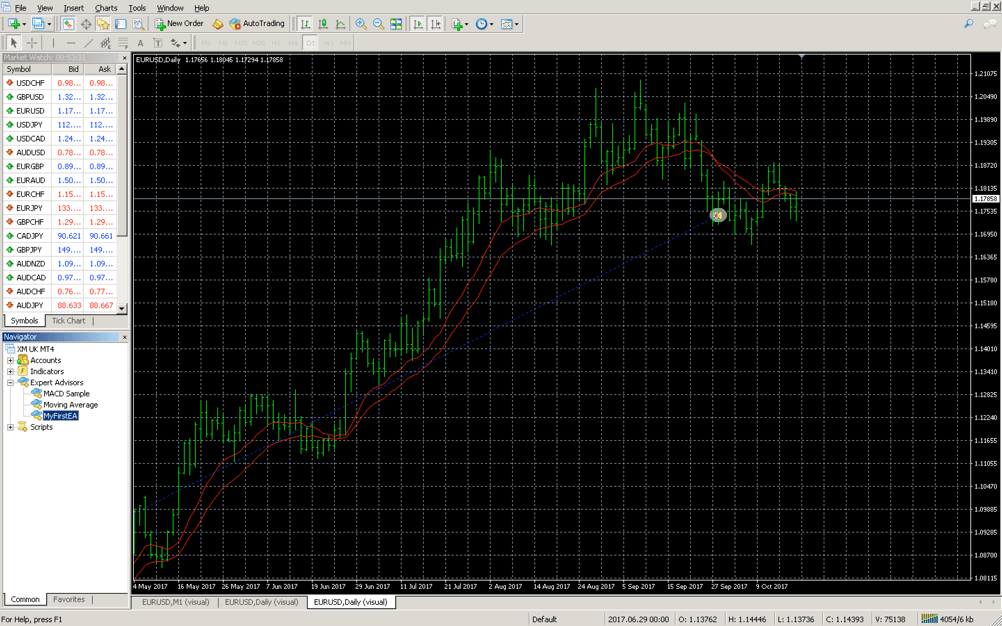
You have the Symbol List and the Navigator on the left. For now focus on the two buttons in the top toolbar that matter most.
The AutoTrading button:

This button enables or disables automated trading across the entire platform. When it is green, Expert Advisors are allowed to place orders. When it is off, no EA can trade — regardless of its own settings. It is a master safety switch.
The MetaQuotes Language Editor button:

Clicking this opens MetaEditor — the IDE where you write, compile, and debug MQL4 code. This is where you will spend most of your development time.
Creating Your First Expert Advisor Template
Once you are inside MetaEditor you will see the editing area. Click the New button in the top-left toolbar to start a new file.
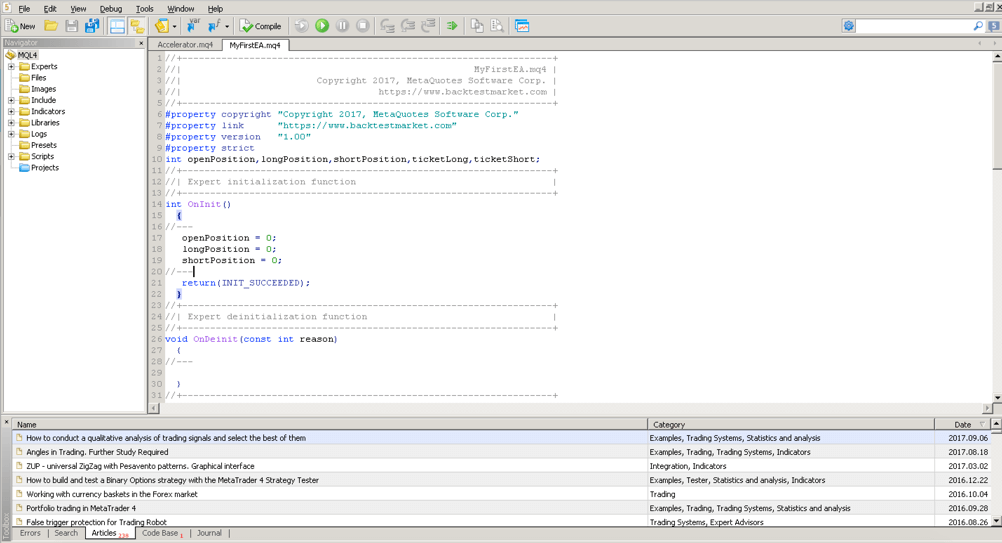
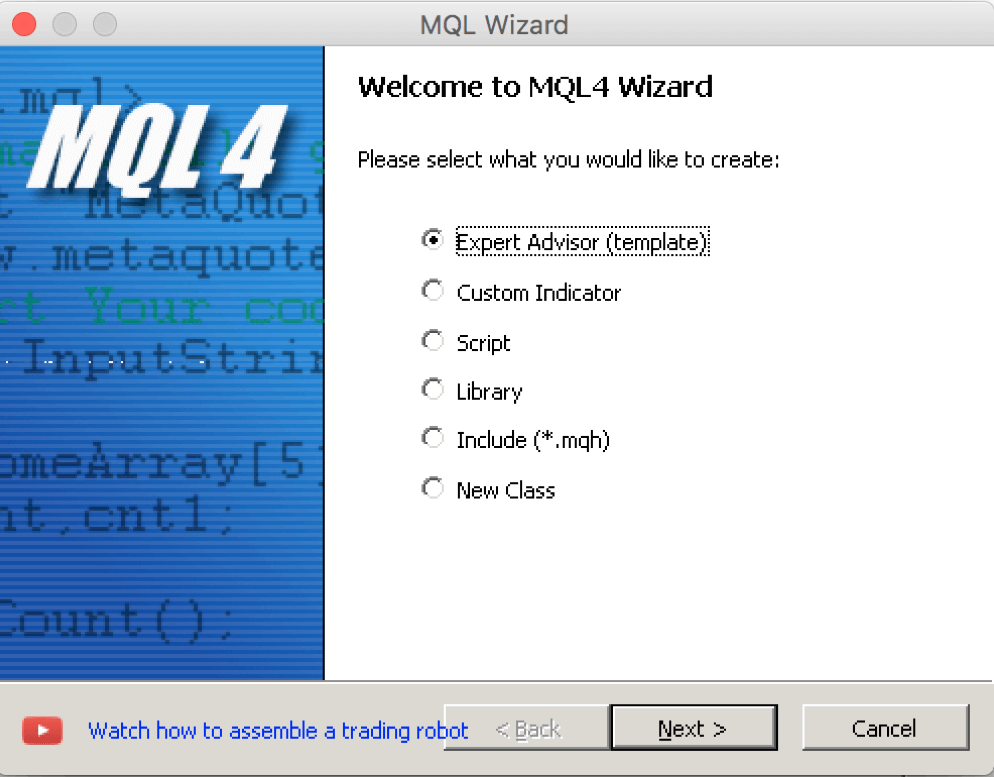
A popup appears asking what type of MQL4 program you want to create:
Select Expert Advisor (template) — this tells MetaEditor you want to build an automated trading robot. Click Next.
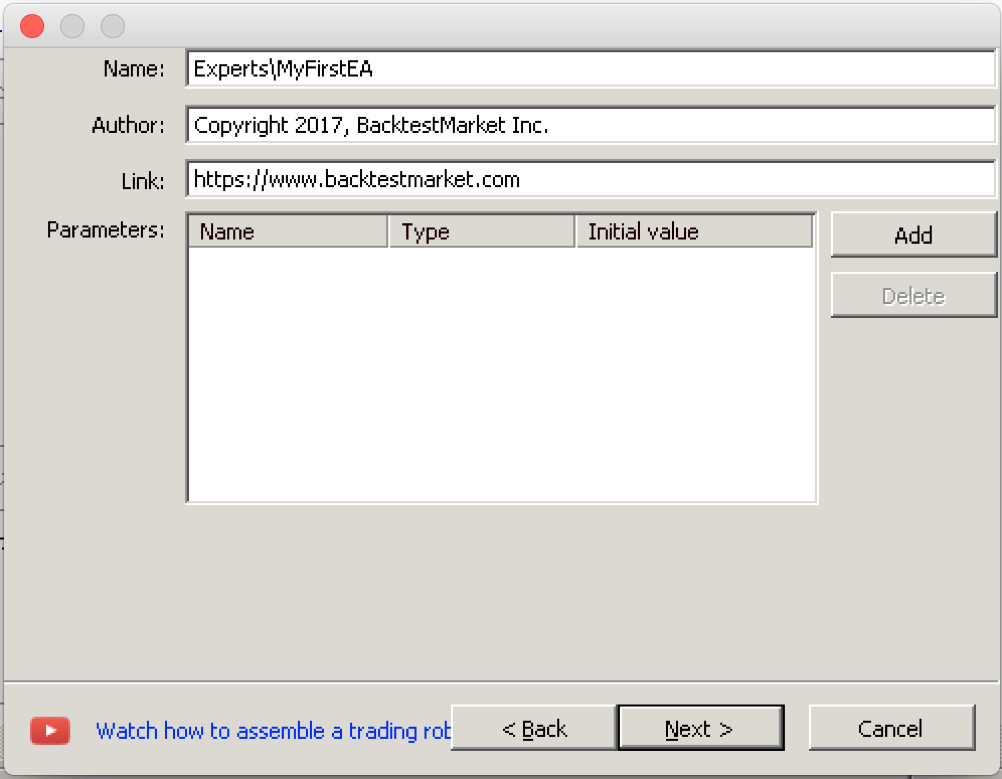
A second screen asks for the name of your Expert Advisor, the author, and an optional website URL. Give it a name — something like MyFirstEA:
Click Next through the remaining steps and then Finish. MetaEditor will generate the basic skeleton of your Expert Advisor and open it in the editor.
Your environment is now ready. In the next lesson you will learn what that skeleton actually means — the three event handlers that form the heart of every Expert Advisor.